What's new in HH7
Elevate your creative process with HH7 Usine Hollyhock! Experience seamless creation with the new Kiosk Mode, perfect for interactive installations and educational purposes. Unleash your imagination with the innovative Laser Engine and explore a plethora of new modules designed for audio, MIDI, video, etc. Enjoy a refreshed user interface for an intuitive and streamlined experience. Dive into the revolutionary Procedures for unparalleled CPU optimization and thread safety.
HH7 is your gateway to next-level show control artistry, redefining the boundaries of digital creativity.
More than 200 new features
Usine has been significantly enhanced for greater CPU efficiency, featuring a lighter and color-rich graphical user interface. This latest update includes over 200 new features, including innovative module inlets, various modules, enhanced interfaces, and more.

New modules and concepts
- Tutorial : Remote control of Usine from Internet
- Monitor Usine's status in real-time
- Switch between workspace sections
- Control custom parameters using buttons, switches, faders, and comboboxes
- Access your Usine session from smartphones, tablets, or other computers
- Tutorial : How to use Chunks
- MDNS Lister
- MDNS Service
- Array Replace
Usine Remote Control allows you to control your Usine workspace remotely from any web browser. This feature enables you to:
The remote interface uses WebSocket technology for real-time, bidirectional communication between Usine and the web interface.

Chunks are Usine's global data storage system. They let you store, retrieve, and share data between modules — even across different patches and racks. Think of them as a shared dictionary that any module in your workspace can read from and write to.
Discovers connected devices on a local network using the MDNS no configuration protocol also called Bonjour.
Registers this device as a service using the MDNS no configuration protocol also called Bonjour.
Searches for a value or sequence of values (pattern) in an array and replaces all occurrences with a new value or pattern.
The two patterns may have different lengths, in which case the output array grows or shrinks accordingly.
input       = [1, 2, 3, 1, 2]
old pattern = [1, 2]
new pattern = [9]
output = [9, 3, 9]This module performs audio analysis and outputs a variety of descriptors characterizing the sound. The simple version computes a set of commonly used descriptors, suitable for general applications. The complex version extracts a more extensive set of features, mainly used in sound analysis contexts.
Monophonic audio-to-MIDI converter. Analyzes an audio input using the McLeod Pitch Method (MPM) with onset detection and a pitch stability state machine, then outputs corresponding MIDI note-on messages with velocity and optional pitch bend for micro-tuning.
Best suited for monophonic sources (voice, solo instrument). Detects one pitch at a time.
Detects audio transients and sends a trigger output. Uses dual envelope following with slope detection for minimal latency. Works on percussive sources (drums, beats) as well as softer onsets (voices, strings).
Chromatic tuner using MPM pitch detection. Displays the closest note name, MIDI note number, cents deviation from the nearest semitone, and the detected frequency.
Best suited for monophonic sources (single instrument or voice). Reference pitch is A4 = 440 Hz.
Audio dynamics processor with an external sidechain input. The dynamics processing is driven by the sidechain signal instead of the input signal itself.
Supports four modes: downward compression,Upward compression,downward expansion and upward expansion. See Compression.
Settings
bypass
...Envelope filter (Auto-Wah) inspired by Mu-Tron III. A resonant filter whose cutoff frequency follows the input signal's amplitude.
Comb filter with feedforward and feedback paths. Creates equally-spaced notches or resonant peaks in the spectrum. Useful for flanging, Karplus-Strong synthesis, and metallic resonance effects.
Diode Ladder filter (Roland TB-303 style). A 4-pole resonant low pass filter with soft diode saturation, producing the characteristic squelchy acid sound.
Dynamic EQ / Envelope Filter. An envelope follower detects the input signal's amplitude and uses it to modulate a filter's frequency (auto-wah) or gain (dynamic EQ / de-esser).
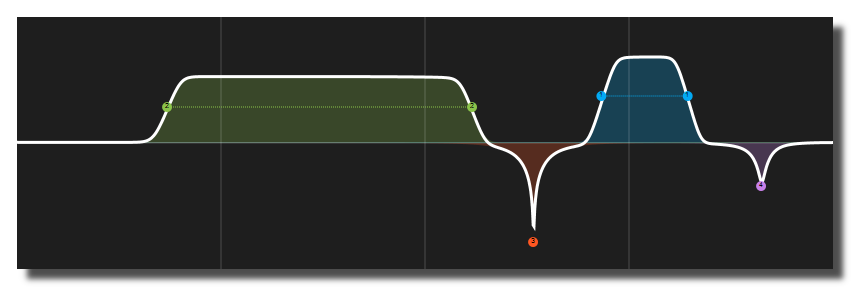
Multi-band equalizer with up to 64 bands. Each band can independently be one of 8 filter types: low pass, high pass, band pass, notch, low shelf, high shelf, peaking (Cook biquad), or plateau (cascaded Butterworth shelving). All band parameters are also exposed as arrays for programmatic control.
Morphable formant filter with X/Y vowel plane. Smoothly interpolates between vowel formants (A, E, I, O, U) using a 2D position for continuous vocal timbre control.
Unlike the basic Formant filter which switches discretely between vowels, this module uses inverse-distance interpolation across a vowel trapezoid to blend formant frequencies continuously.
Korg MS-20 style Sallen-Key filter with asymmetric diode clipping in the feedback path. Known for its aggressive, screaming resonance character.
Oberheim SEM (Synthesizer Expander Module) state variable filter. A smooth, musical 2-pole SVF with continuous morphing between filter types.
Modal resonator bank using parallel bandpass filters tuned to harmonic or inharmonic partials. Produces bell-like, metallic, drum-like, or string-like resonances when excited by impulses or audio signals.
Spectral transient/steady-state separator. Splits an audio signal into its transient (percussive) and steady-state (tonal) components using Fitzgerald median filtering on the STFT magnitude spectrogram, then crossfades between them.
Karplus-Strong waveguide string model. Simulates a plucked string using a tuned delay line with lowpass damping in the feedback loop.
Works both as a resonant filter (feed any audio in) and as a physical modelling synthesizer (feed noise bursts or impulses to excite the string).
BBD-style flanger with LFO-modulated short delay line and feedback.
Analog-style octave divider (-1 octave). Produces a sub-octave signal by multiplying the input waveform by a smoothed flip-flop that toggles at zero crossings.
Pitch shifter with three selectable algorithms: Granular (overlap-add), Phase Vocoder (FFT-based), and Delay Crossfade (4-tap delay line, H910 style).
Ring modulator effect. Multiplies the input signal by an internal sine oscillator to produce sum and difference frequencies.
Leslie rotary speaker emulation. Crossover split into horn and rotor with independent speed modulation and Doppler effects.
Spring reverb emulation (Fender-style). Cascaded allpass filters and comb filters with dispersion for the characteristic boingy sound.
Tape echo inspired by Roland Space Echo RE-201. Delay with wow/flutter, filtered feedback and tape saturation.
Adds B to A using unsigned 32-bit integer arithmetic. Unlike the regular data add, the result wraps around on overflow ($FFFFFFFF + 1 becomes 0) instead of switching to floating-point, so the value stays an exact 32-bit word. Useful for address calculations, counters and hashing.
Converts an array of 0 and 1 values into a bitwise number.
Configurable 32-bit counter working on bitwise (hexadecimal) values. It counts up or down by a specified increment, with several modes that control what happens when the count reaches the min or max boundary. It behaves like the Data Counter but keeps its value as an exact unsigned 32-bit word.
Divides A by B using unsigned 32-bit integer division, discarding any remainder ($0007 ÷ 2 gives 3). If B is 0 the output is 0 rather than raising an error. Dividing by a power of two is equivalent to a right shift — see Bitwise SHR. Use Bitwise MOD to obtain the remainder.
Extracts a contiguous group of bits (a bit field) from the input value. Starting at bit offset, it takes width bits, shifts them down to position 0 and outputs them as a right-aligned value. For example, extracting offset 8, width 8 from $AABBCCDD returns $000000CC. Perfect for decoding packed data such as protocol headers, colour channels or flag groups.
Reads a single bit from the input value. Outputs 1 if the bit at position index is set, or 0 otherwise. Bit 0 is the least-significant (rightmost) bit. Handy for testing individual flags or status bits packed into a word. An index outside the 0–31 range returns 0.
Converts a standard binary number into its reflected Gray code.
Returns the position of the least-significant set bit — the index (0–31) of the lowest bit that is 1. For example $01 gives 0, $80 gives 7, and $F0 gives 4. This tells you how many trailing zero bits the value has. If the input is 0 (no bits set) the output is $FFFFFFFF (−1).
Generates a mask made of n low-order bits set to 1. For example n=4 produces $0000000F (00001111), n=8 produces $000000FF, and n=0 produces 0. Feed the result into a Bitwise AND to keep only the lowest n bits of another value. Values of n of 32 or more give a full mask ($FFFFFFFF).
Returns the remainder of the unsigned 32-bit integer division of A by B ($0007 mod 2 gives 1). If B is 0 the output is 0 rather than raising an error. When B is a power of two, the modulo keeps only the low bits of A and is equivalent to a Bitwise AND with B−1. Use Bitwise DIV to obtain the quotient.
Returns the position of the most-significant set bit — the index (0–31) of the highest bit that is 1. For example $01 gives 0, $80 gives 7, and $80000000 gives 31. This is equivalent to the integer part of log2. If the input is 0 (no bits set) the output is $FFFFFFFF (−1).
Multiplies A by B using unsigned 32-bit integer arithmetic. Only the low 32 bits of the product are kept (the result wraps around on overflow) so the value stays an exact 32-bit word. Note that multiplying by a power of two is equivalent to a left shift — see Bitwise SHL.
Bitwise NAND operation (NOT-AND). Each output bit is the inverse of the AND: it is 0 only when the corresponding bits in both A and B are 1, and 1 in every other case. NAND is a universal gate — any other logic function can be built from it alone.
Bitwise NOR operation (NOT-OR). Each output bit is the inverse of the OR: it is 1 only when the corresponding bits in both A and B are 0, and 0 whenever either bit is 1. Like NAND, NOR is a universal gate from which any other logic function can be built.
Counts the number of bits set to 1 in the input value (the population count or Hamming weight). For example $F0 (11110000 in binary) gives 4, and $FFFFFFFF gives 32. Useful for parity checks, measuring how many flags are active, or computing distances between bit patterns.
Reverses the order of all 32 bits in the input: bit 0 swaps with bit 31, bit 1 with bit 30, and so on. The most-significant bit becomes the least-significant and vice versa. Commonly used for bit-reversal addressing in FFT algorithms and for mirroring bit patterns.
Bitwise rotate left. Shifts all 32 bits of in to the left by shift positions, but instead of discarding the bits that fall off the top, they wrap around and re-enter at the bottom. Unlike a plain shift, no bits are ever lost. The rotation amount is taken modulo 32 (a shift of 32 leaves the value unchanged).
Bitwise rotate right. Shifts all 32 bits of in to the right by shift positions, with the bits that fall off the bottom wrapping around and re-entering at the top. Unlike a plain shift, no bits are ever lost. The rotation amount is taken modulo 32 (a shift of 32 leaves the value unchanged).
Sets or clears a single bit of the input value, leaving all other bits untouched. The bit at position index is forced to 1 when state is on, or to 0 when state is off. Bit 0 is the least-significant (rightmost) bit. This is the write counterpart of Bitwise Get and is ideal for building up a flags word one bit at a time. An index outside the 0–31 range leaves the value unchanged.
Subtracts B from A using unsigned 32-bit integer arithmetic. The result wraps around on underflow (0 − 1 becomes $FFFFFFFF) instead of going negative, keeping the value an exact 32-bit word. Useful for address and counter arithmetic where you need modular wrap-around behaviour.
Swaps the byte order of the 32-bit input, converting between big-endian and little-endian representations. The four bytes are reversed: byte 0 ↔ byte 3 and byte 1 ↔ byte 2. For example $AABBCCDD becomes $DDCCBBAA. Useful when exchanging binary data with devices or protocols that use the opposite endianness.
Converts a reflected Gray code value back into a normal binary number — the inverse of Bitwise Gray.
Bitwise XNOR operation (NOT-XOR, also called equivalence). Each output bit is 1 when the corresponding bits in A and B are equal (both 0 or both 1) and 0 when they differ. Handy for comparing two values bit by bit or detecting which bits match.
Performs file operations on chunks such as import and export.
Returns the list of all items available in a chunk.
Returns the list of all available chunks.
Retrieve the values of items in a chunk.
Retrieve the values of items in a chunk and store the results in a single array.
Performs an operation on a chunk, such as modifying, deleting, or clearing items.
Sends a trigger when a chunk or a chunk item is modified.
Adjusts the saturation and luminance of a color. Saturation controls the color intensity (0 = grayscale, 1 = fully vivid). Luminance controls the brightness (0 = black, 0.5 = normal, 1 = white).
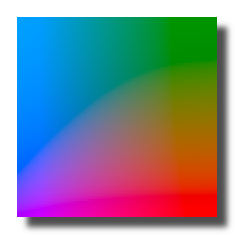
Maps X,Y coordinates to a color in the CIELAB perceptual color space. CIELAB is designed so that equal numerical changes correspond to roughly equal perceived color differences, making it useful for perceptually uniform color selection and smooth gradients. See Wikipedia: CIELAB color space.
Sets the alpha (opacity) of a color or color array without changing the RGB channels. An opacity of 0 makes the color fully transparent, and 1 makes it fully opaque.
Appends a string to a comma-text.
comma text in    = 'a,b,c'
string to append = 'd'
out = 'a,b,c,d'Returns the intersection (common elements) of two comma-text.
Removes duplicate elements from a comma-text, keeping the order of first occurrence.
Removes empty elements from a comma-text.
Reverses the order of the elements of a comma-text.
Sets string of a comma-text at a given index.
comma text in = 'red,green,blue'
index     = 1
new value = 'yellow'
out = 'red,yellow,blue'Sorts the elements of a comma-text alphabetically, in ascending or descending order.
Splits each element of a comma-text at the first occurrence of a separator, into two comma-texts: the parts before the separator and the parts after it.
Displays the level of the incoming audio flow as a small LED.

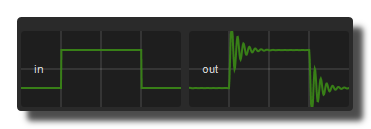
Spring physics model. The output follows the input as if attached by a spring: it overshoots, bounces back, and eventually settles. The behavior is controlled by three physical parameters: stiffness, damping, and mass.
Use it for bouncy UI animations, physics-based modulation, or any transition that should feel elastic and organic rather than linear. With high damping, it acts as a smooth filter with no overshoot. With low damping, it creates visible oscillation around the target value.
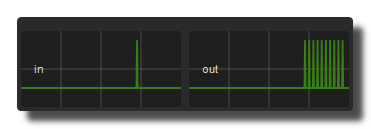
Burst generator. Emits a rapid sequence of N triggers from a single input trigger. Useful for drum rolls, flams, granular triggering, and rhythmic fills.
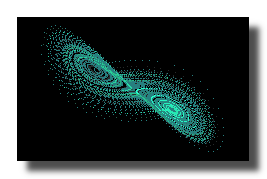
Lorenz strange attractor. Generates three chaotic outputs (x, y, z) from a system of three coupled differential equations discovered by Edward Lorenz in 1963. The trajectory traces a butterfly-shaped path that never exactly repeats, producing complex, evolving modulation signals. Outputs are normalized to approximately 0..+1.
A chaotic attractor is a mathematical system whose output is deterministic but unpredictable over time. Unlike random noise, the signals are smooth and continuous, making them ideal for organic, never-repeating modulation of parameters like filters, panning, or effects.
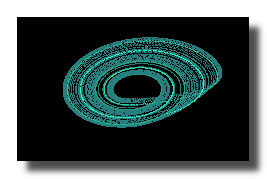
Rossler strange attractor. Generates three chaotic outputs (x, y, z) from a system of three coupled differential equations discovered by Otto Rossler in 1976. Produces a simpler spiral pattern than Lorenz, with occasional large excursions on the Z axis. Outputs are normalized to approximately 0..+1.
Like the Lorenz attractor, this is a chaotic system: the output is smooth and continuous but never exactly repeats. The Rossler attractor tends to produce gentler, more predictable motion with sudden spikes on Z, making it useful for modulation that is mostly calm but occasionally surprising.
Generates Euclidean rhythms using Bjorklund's algorithm. Given a number of steps and a number of pulses, the algorithm spaces the pulses as evenly as possible across the steps. This simple rule produces many traditional rhythmic patterns found in world music (e.g., 3 pulses in 8 steps gives a Cuban tresillo, 5 in 8 gives a West African bell pattern).
Connect a clock or sequencer to next step and use trigger out to drive drum hits, notes, or any event.
Generates arrays from mathematical formulas. Creates lookup tables, waveshapes, and mapping curves procedurally. The output array is regenerated whenever a parameter changes. Useful for filling sequencer patterns, building wavetables, or generating test signals.
Non-repeating random generator (urn model). Draws random values from a pool without replacement: each value can only appear once until the entire pool is exhausted, then it automatically refills. Like drawing balls from an urn, you are guaranteed to see every value exactly once per cycle. Useful for non-repeating random sequences, shuffled playlists, and card-deck style randomization.
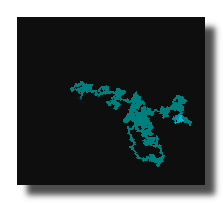
Drunk walk (random walk) data generator. At each step, the current value moves by a random amount within the step size range. The output stays between min and max.
Unlike plain random which jumps to any value, a random walk produces a wandering path where each new value is close to the previous one. This creates slowly drifting, unpredictable motion. Use it for organic modulation, generative melodies, or wandering parameter control.
Shift register sequencer inspired by the Music Thing Modular Turing Machine. A fixed-length binary register (a row of 0s and 1s) loops continuously. At each step, the current bit may randomly flip based on the lock parameter. The register contents are converted to a data value between min and max.
Think of it as a looping pattern that gradually mutates: at one extreme (lock = 1) the pattern repeats exactly; at the other extreme (lock = 0) every bit randomizes; in between, the pattern slowly evolves, creating semi-random sequences with a sense of repetition.
Bernoulli gate (coin-flip gate). Each incoming trigger is randomly routed to one of two outputs based on a probability setting. Use it for stochastic composition, random variation in drum patterns, or any situation where events should sometimes happen and sometimes not.
Automatically scales an input data flow to a specified output range. Tracks the input minimum and maximum over a configurable time window and maps the input to the desired output range. Useful when the input range is unknown or varies over time, such as sensor data, gesture input, or external controllers.
output = minOut + (maxOut - minOut) * (input - trackedMin) / (trackedMax - trackedMin)
Folds (reflects) input values at the min/max boundaries. When the value exceeds max, it bounces back toward min and vice versa, like a ball bouncing between two walls. This creates a mirrored zigzag pattern from a linear input.
For example, with min=0 and max=1: an input of 1.3 folds to 0.7, an input of 2.1 folds to 0.1, and an input of -0.4 folds to 0.4.
Wraps input values into the min/max range using modulo arithmetic. When the value goes past max, it cycles back to min and continues from there, and vice versa. This creates repeating cyclic behavior from a linear input.
For example, with min=0 and max=1: an input of 1.3 wraps to 0.3, an input of 2.7 wraps to 0.7, and an input of -0.2 wraps to 0.8.
Detects the slope direction of a data signal. Outputs separate gates for rising, falling, and steady states, plus triggers on peaks (local maxima) and troughs (local minima). Use it for envelope following, gesture analysis, direction detection, or firing events at turning points.
Trigger cascade. From a single input trigger, fires N output triggers one after the other, each one delayed by a fixed interval from the previous one. Useful for chasers, staggered starts, sequential fades, or any event that must propagate step by step with a constant delay.
Snaps continuous input values to the nearest discrete step. The input is rounded to the nearest multiple of the step size. For example, with step = 0.25, an input of 0.3 snaps to 0.25 and an input of 0.6 snaps to 0.5. Use it to constrain smooth data to discrete levels, create staircase effects, or quantize controller output to specific intervals.
This module takes a sound folder as entry, analyzes all the audio files and outputs a SQL database containing all the audio descriptors of the files. See Audio Analysis Descriptors.
This module allows to represent in 2D a database made with the DatabaseCreation module. Using a cursor, the module will output a list of the nearest sample paths inside the radius and a coefficient. Moreover, the module resynthesize an audio texture corresponding to an average of the samples in the cursor. See database-creation
Gives the last LR outputs sent to the sound card during the previous cycle.
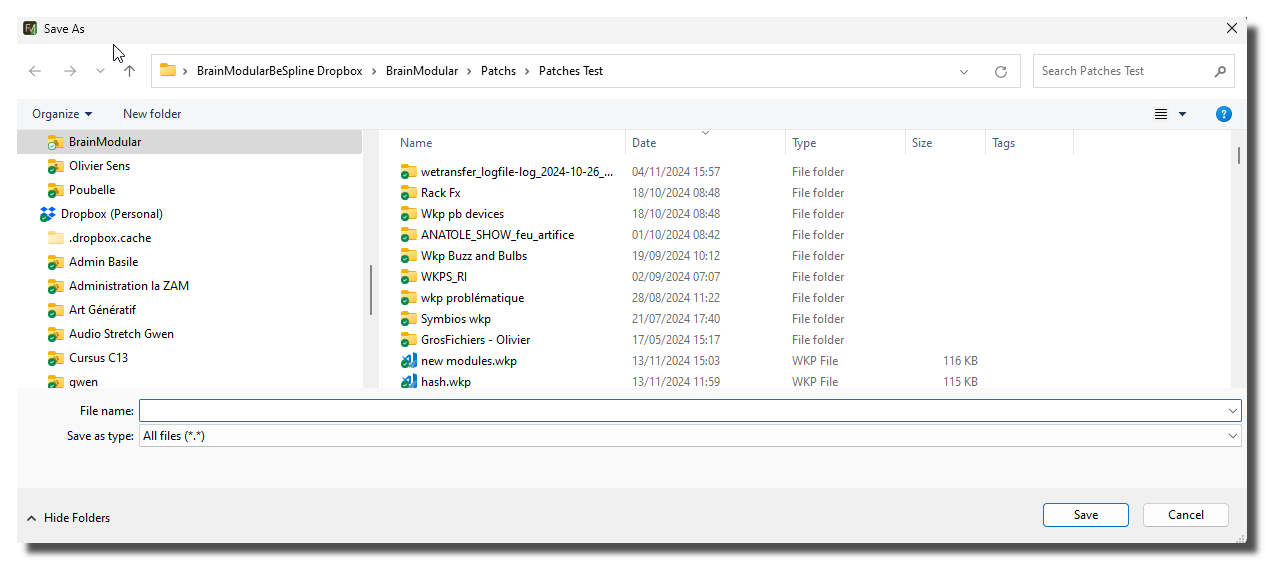
Opens the standard file save dialog to let the user choose a file.
Extracts files from a ZIP archive to a folder.
Creates a ZIP archive from files or a folder.
Returns the path to the system temporary folder.
Converts a float array to a pointer. See pointers
A circular buffer is a fixed-size buffer that treats its storage as if the end were connected back to the beginning, forming a logical ring.
A list is an ordered collection of elements where each item has a specific position, and duplicates are allowed. You can insert, remove, and access elements by their position (index), making it useful for sequences of data.
A queue is a linear data structure that stores elements in order and processes them using the FIFO principle: First In, First Out. New elements are added at the back (push,enqueue) and removed from the front (pop,dequeue), like a line of people waiting.
A stack is a linear data structure that follows the LIFO principle: Last In, First Out. Elements are added and removed only from the top (push/pop), like a stack of plates where you access the last one placed.
Samples and holds the input value. When a trigger is received, the current input value is captured and held at the output until the next trigger.
Swaps two flows. A becomes B and B becomes A.
Tracks and holds the input value. While the gate is open (ON), the output follows the input. When the gate closes (OFF), the last value is held.
Global array definition for trigger values, see global-array-data for more information about settings.
Gets the trigger state of a global array.
Sets a trigger on a global array.
Gets the value of a global-constant Color.
Global constant definition for a Color value.
Gets the value of a global-constant DATA.
Global constant definition for a DATA value.
Gets the value of a global-constant String.
Global constant definition for a String value.
Floating-point inequality with epsilon tolerance. The inverse of the Logical Same Value module: returns 1 if the absolute difference between A and B is greater than the epsilon threshold.
Floating-point equality with epsilon tolerance. Returns 1 if A and B are close enough to be considered equal (i.e. |A - B| <= epsilon). This avoids false negatives caused by floating-point rounding errors that can make Logical EQUAL unreliable with computed values.
A = 0.3000001, B = 0.3, epsilon = 0.001 → out = 1
A = 0.31, B = 0.3, epsilon = 0.001 → out = 0Unipolar to bipolar conversion: out = 2 * in - 1. Maps a [0..1] range to [-1..+1].
in = 0   → out = -1
in = 0.5 → out = 0
in = 1 → out = 1Bipolar to unipolar conversion: out = (in + 1) / 2. Maps a [-1..+1] range to [0..1].
in = -1 → out = 0
in = 0  → out = 0.5
in = 1 → out = 1Generic inference module powered by ONNX Runtime. Loads any .onnx model file, reads its port layout from an optional model-description.md companion file, and maps model inputs/outputs to Usine ports in real time using a dedicated background worker thread.
ONNX (Open Neural Network Exchange) is an open format for machine-learning models. Models trained in PyTorch, TensorFlow, scikit-learn, or any compatible framework can be exported to
.onnxand run directly in Usine without any Python runtime. The module handles all type conversions between Usine flow types and the flat float tensors expected by the model.
Unsupervised learning module based on a Self-Organizing Map (Kohonen network). Trains a 2D grid of neurons to reflect the topology of high-dimensional input data, then outputs the Best Matching Unit (BMU) position and a color visualization of the learned map.
A Self-Organizing Map (SOM) is an unsupervised neural network that projects high-dimensional data onto a low-dimensional (here 2D) grid while preserving topological relationships. Nearby neurons in the grid respond to similar input patterns. Over time, the map develops regions that cluster similar data points together, making it useful for dimensionality reduction, anomaly detection, and visualizing data structure.
Converts a Markdown text or text file into an HTML text file. The input Markdown text can be provided either as a file or as a string.
This module can be used to generate HTML documentation or web pages from Markdown content.
Controls and monitors a network-enabled projector (or display) that supports the PJLink protocol, a vendor-independent control standard published by JBMIA. PJLink lets a single module drive projectors and displays from many different manufacturers (Epson, NEC, Panasonic, Sony, Christie, Barco, Sharp, BenQ, Ricoh, etc.) over TCP/IP.

Receives touch surfaces and tangible objects data using the TUIO 1.1 protocol (transmitted over OSC). See https://www.tuio.org/ for more info about the protocol.
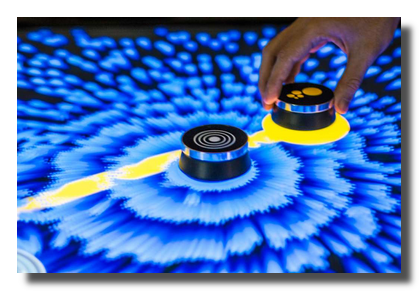
3D sphere with constant screen-size (billboard behavior). The sphere automatically scales based on camera distance so it always appears the same size on screen, regardless of zoom or camera position.
Uses direct GPU drawing for maximum performance: all sphere instances are rendered by a single scene-graph node, making it suitable for large numbers of spheres (point clouds, particle-like visualizations, etc.).
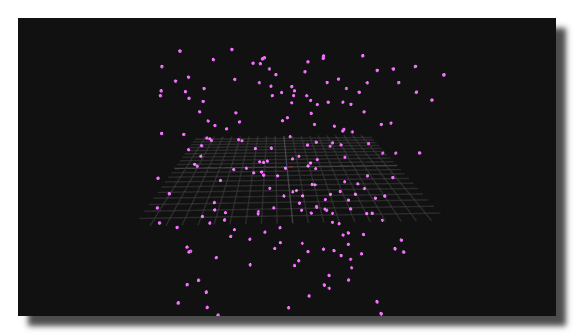
3D cone object.
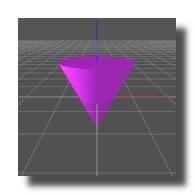
3D cube object.
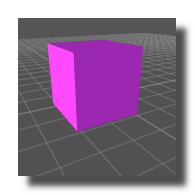
3D cylinder object.
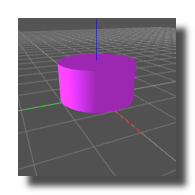
3D disk object.
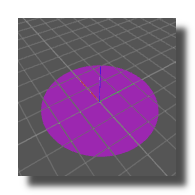
3D ellipse object.
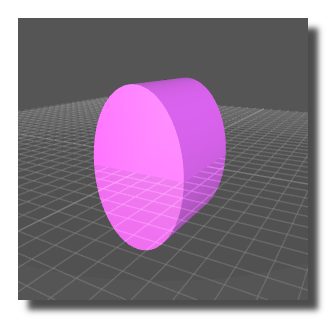
3D mesh object. A mesh is a collection of vertices, edges, and faces that define the shape of a 3D object.
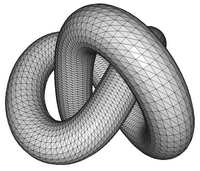
Imports a 3D model and stores meshes into a chunk in order to be visualized by a object3d-mesh.
This module does not display anything. To display the model use the object3d-mesh module with a chunk-item-get module.
3D path object.
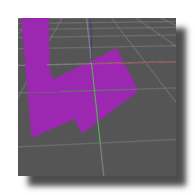
3D plane object.
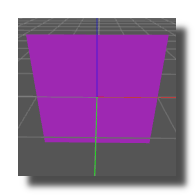
Primitive to draw 3D lines.
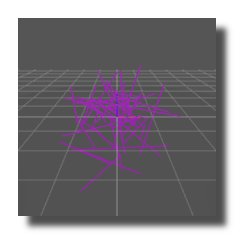
Primitive to draw 3D points.
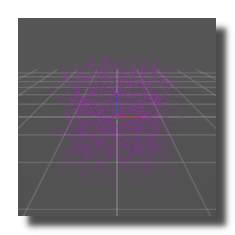
Primitive to draw 3D quads. Each quad is defined by 4 vertices (12 coordinate values) and rendered as two triangles.
Primitive to draw 3D triangles.
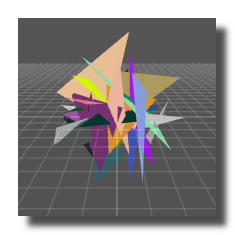
3D rectangle object.
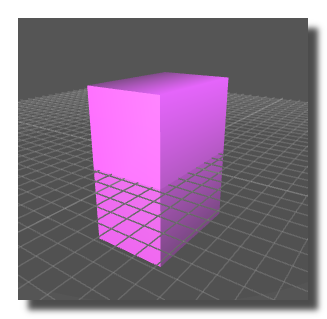
3D round cube object.
3D sphere object.
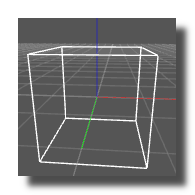
3D stroke cube object.
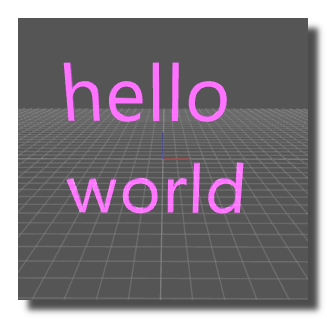
3D text object.
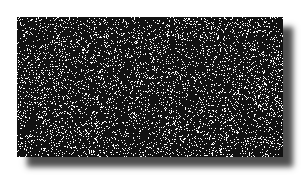
Draw pixels into a panel at a position given by X,Y array.
Draws 3D polygons or lines in a panel with adjustable X, Y, Z positions and sizes.

Transforms coordinates used in the XY/XYZ modules into coordinates used in the 3D engine.
equivalent to the sub-patch below
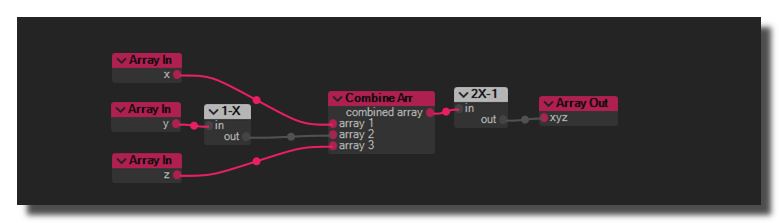
Transforms coordinates used in the 3D engine into coordinates used in the XY/XYZ modules.
equivalent to the sub-patch below
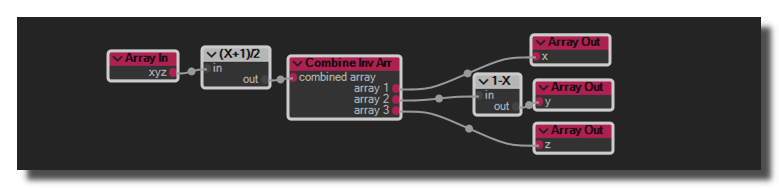
Converts a pointer to a float array. See pointers
Dispatch an incoming MPE (MIDI Polyphonic Expression) stream to the voices of a polyphonic sub-patch — one voice per active MPE member channel — and decompose each note's expression axes into ready-to-use outputs.
Used to create polyphonic MPE synthesizers with per-note pitch bend, timbre and pressure.
Pause the execution of a procedure and resume it later. When suspended, the procedure's patch restarts its processing loop from the beginning on each cycle without advancing — effectively freezing execution in place until an end suspend trigger is received.
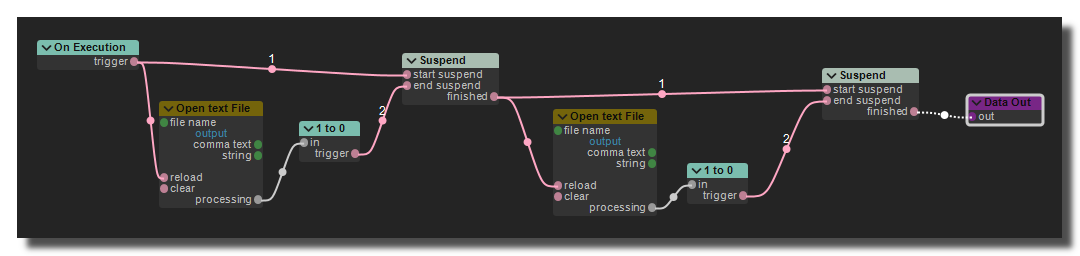
Example of a procedure using the suspend mechanism to wait for an external event before proceeding with its execution.
Create a JSON string made of several fields. For Example {first-name: "John", age: 31, city: "New York"}.
Parses a JSON string and explode the fields values into outlets.
Returns the overall CPU load as reported by the operating system.
Executes a Windows PowerShell script and returns the result string.
Windows only.
Retrieves the value of a Usine object by its absolute object-remote-address or its object-user-remote-address ie usine.workspace.rack001.patch001.fader-1.
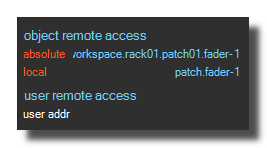
Displays a text or a gauge in the progress bar of Usine.

Returns a Color value read from the setup files.
Returns a DATA value read from the setup files.
Returns a String value read from the setup files.
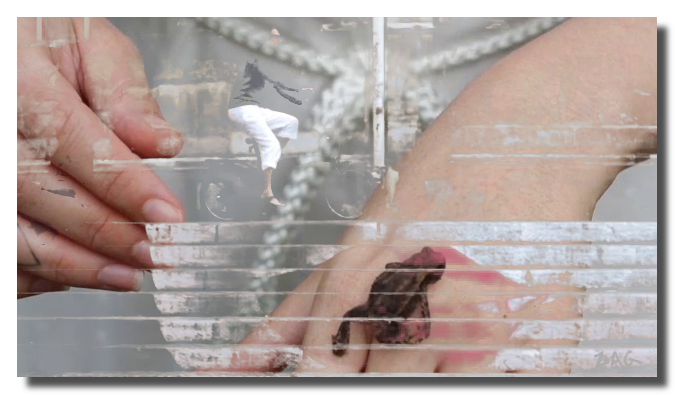
Replaces a specific color (green/blue screen) in the foreground video with the background video. The first video input is the foreground and the second video input is the background.

Remaps the grayscale luminance of the video to a two-color gradient.
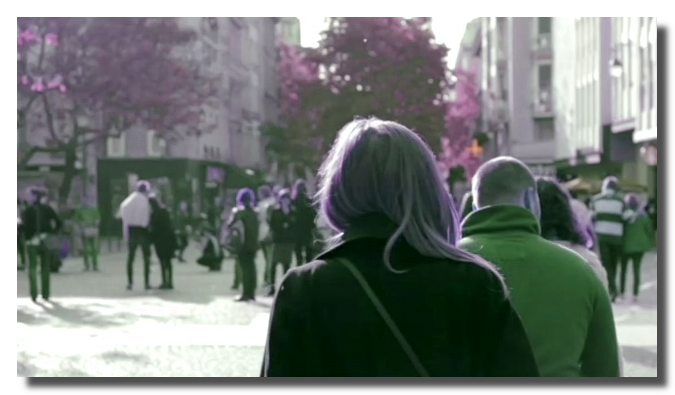
Rotates the hue of the video flow in HSL color space.
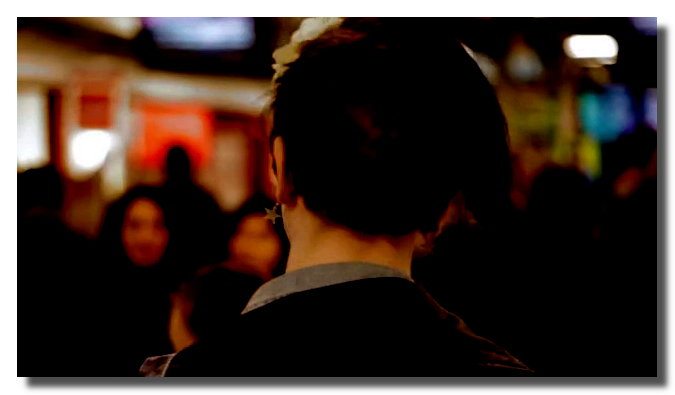
Adjusts input and output levels (shadows and highlights remapping) of the video flow.
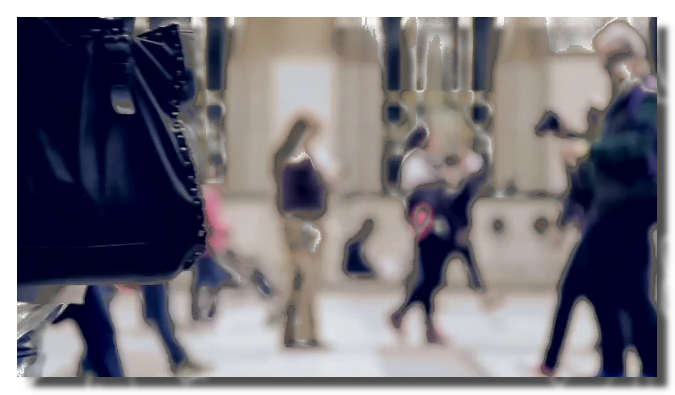
Makes pixels transparent based on their luminance (brightness). Pixels within the threshold range become transparent.
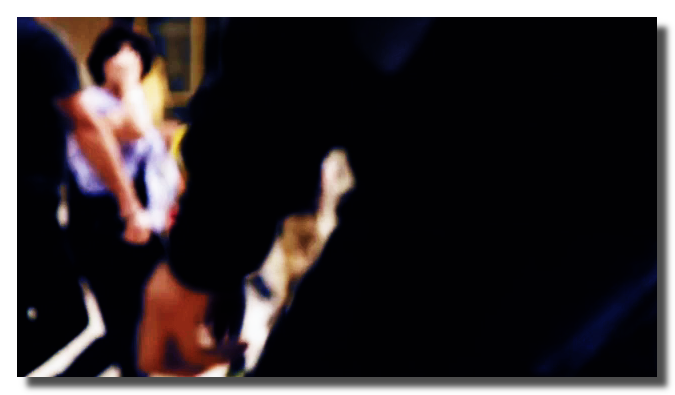
Applies a 1D Look-Up Table from a .cube file to the video flow for color grading.
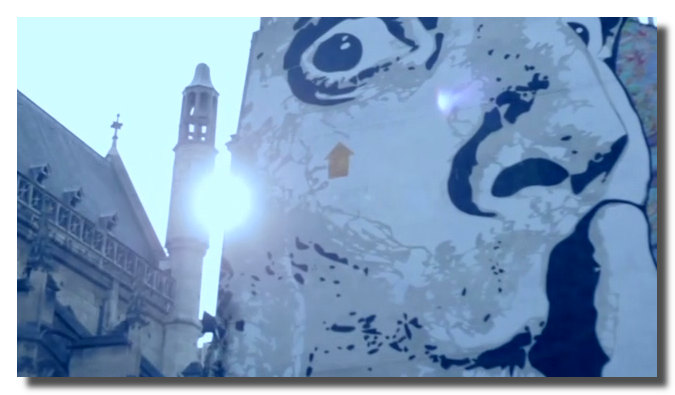
Adjusts the color temperature (white balance) of the video flow. Positive values warm the image (more red), negative values cool it (more blue).
Detects connected bright regions (blobs) in the video and outputs their positions and sizes as arrays.
Tracks the centroid position of a specific color in the video flow.
Computes a global scalar representing the overall amount of motion between consecutive video frames. Simpler and lighter than Optical Flow — outputs a single 0..1 value ideal for driving audio-reactive visuals or triggering events on movement.
Detects motion vectors across a grid by comparing consecutive frames. Outputs per-cell X and Y displacement arrays plus a global motion amount.
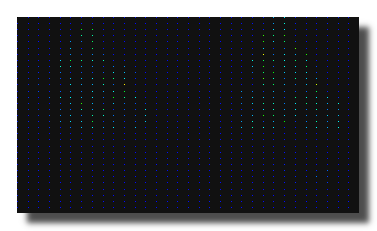
Video detection based on the Pose-Detection model of the tensor-flow library.
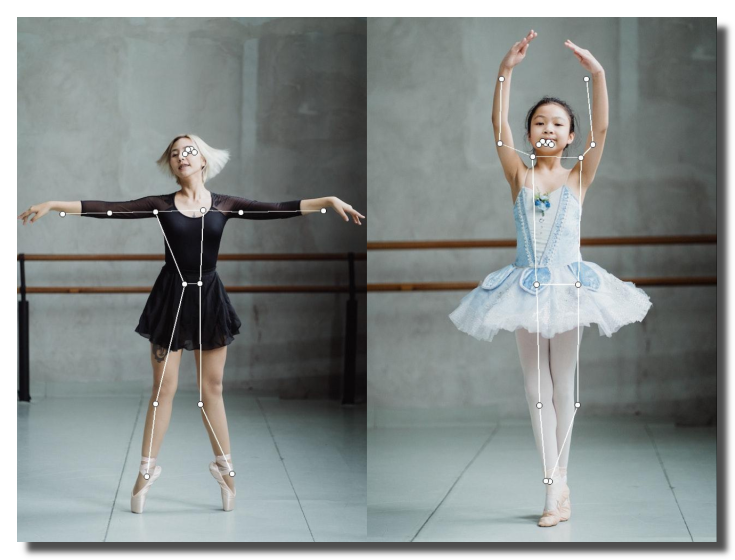
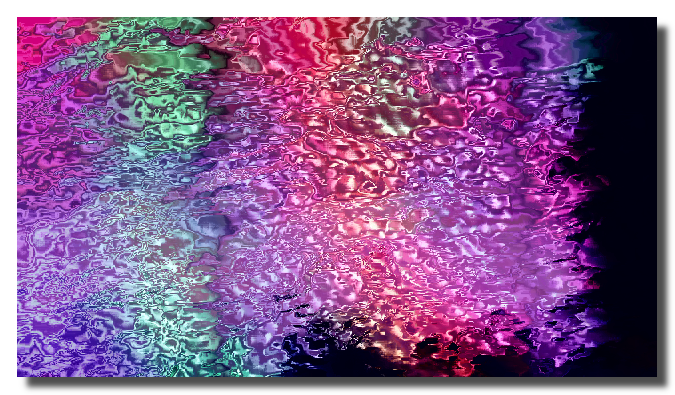
Displaces pixels of the first video input according to a second video input (displacement map). The color channels of the map control X and Y displacement.
Circular buffer of N video frames with position-based access for freeze, scrub, and slow-motion effects.
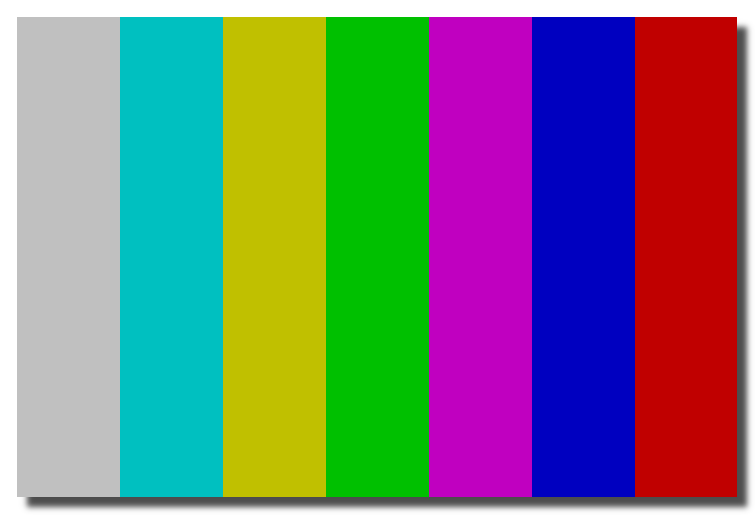
Generates standard color bar patterns (SMPTE, EBU, or grayscale ramp).
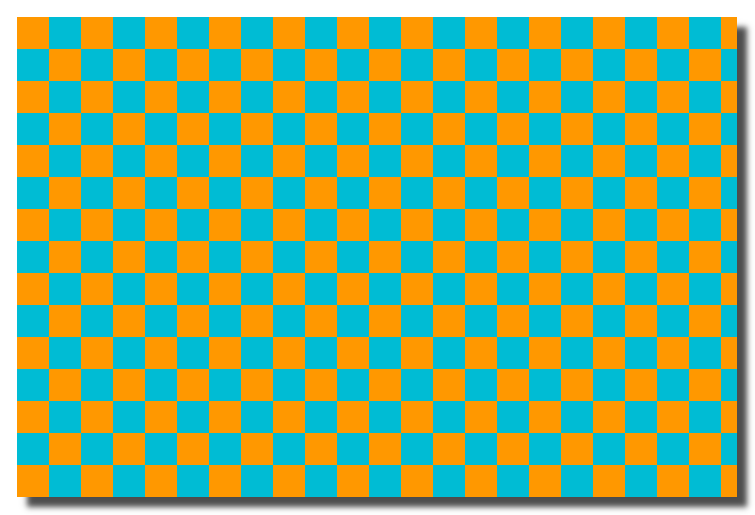
Generates a parametric checkerboard pattern, useful for calibration and testing.
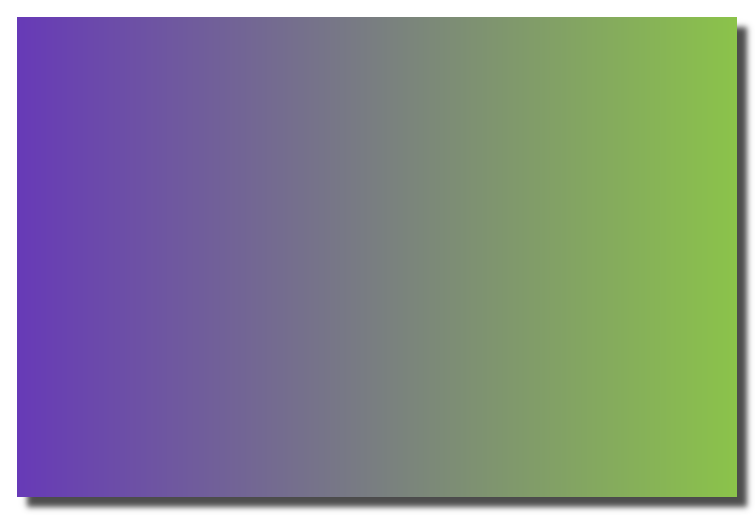
Generates a gradient image (linear horizontal, linear vertical, radial, or conical).
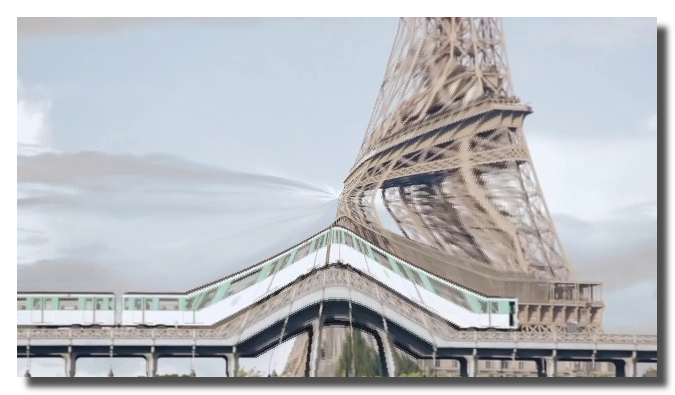
Applies a bulge (inflate) or pinch (squeeze) distortion around a center point.
Reduces the resolution by a factor 2. A 1920x1080 pixels video becomes 960x540 pixels.
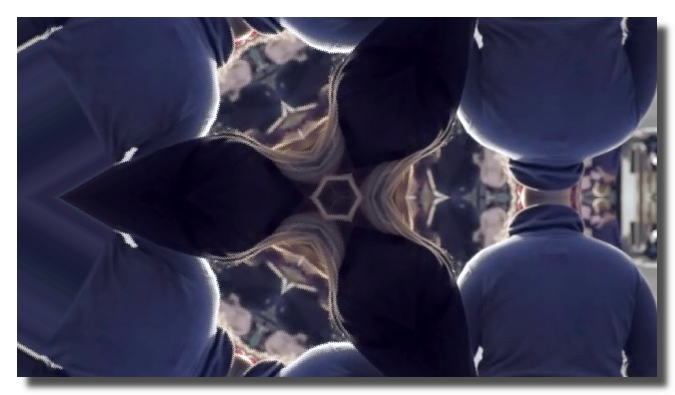
Creates a parametric kaleidoscope effect by mirroring a sector of the image around a center point.
Increases the resolution by a factor 2. A 1920x1080 pixels video becomes 3840x2160 pixels.
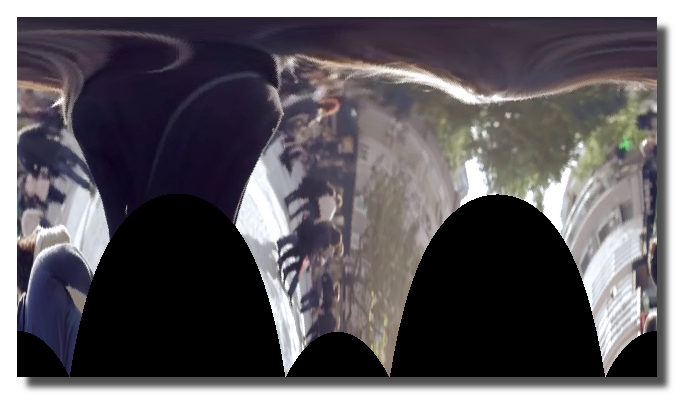 Converts the image between Cartesian and polar coordinate systems.
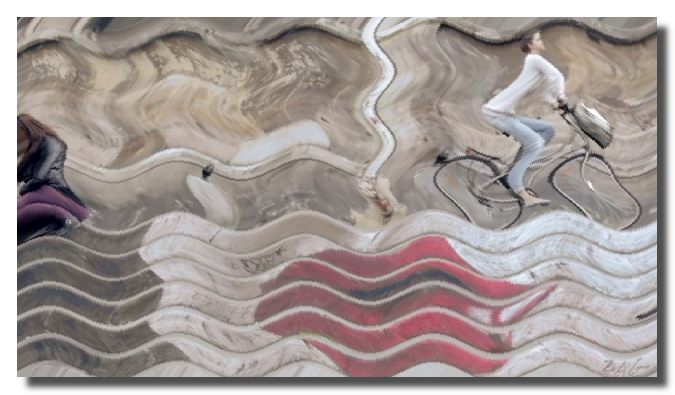
Applies sinusoidal wave distortions to the image, creating a ripple/water effect.
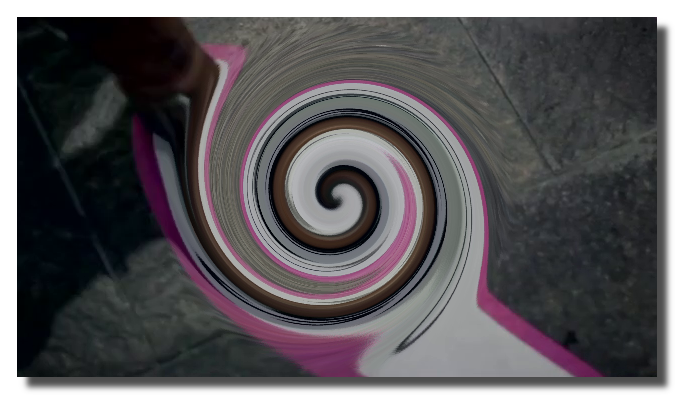
Applies a spiral/twirl distortion around the center of the image.
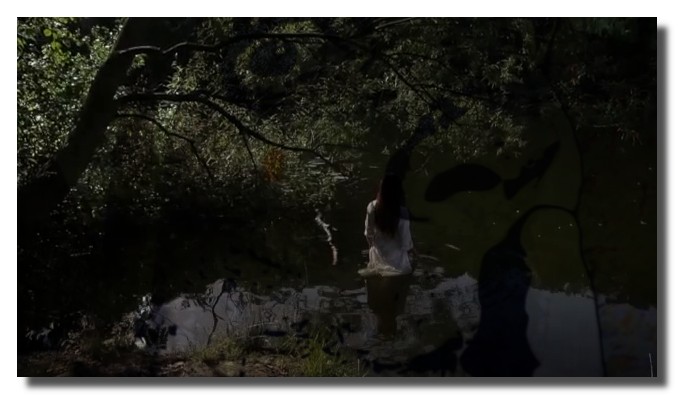
Blends two video inputs using standard compositing modes (multiply, screen, overlay, soft light, hard light, difference, exclusion, darken, lighten, color dodge, color burn).
Alternates periodically between the live video frame and a frozen frame, creating a strobe/stutter effect.
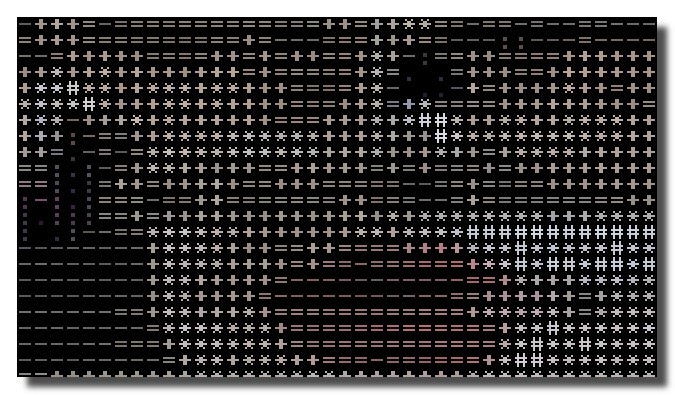
Renders the video as ASCII characters using an embedded 8x8 bitmap font. Each cell is mapped to a character from a density ramp (.:-=+*#%@) based on the average luminance.
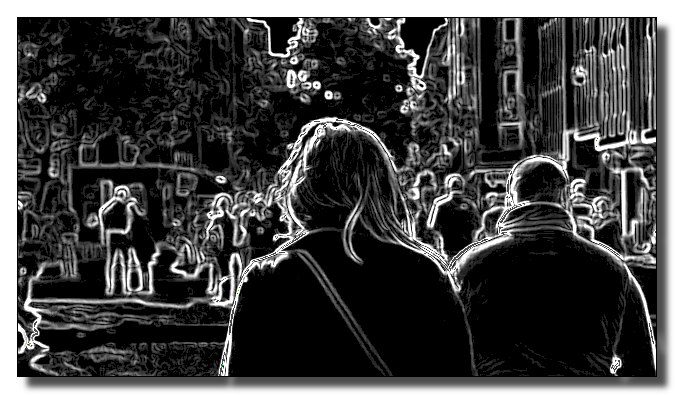
Detects edges in the video using Sobel or Prewitt gradient operators. Outputs a grayscale or colored edge map.
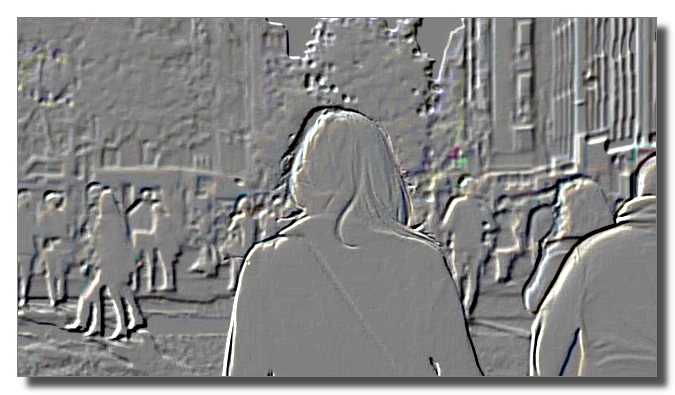
Applies an emboss (relief) effect to the video flow, creating a 3D-like appearance.
 Sharpens the video using an unsharp mask filter.
version 7.0.250921
Edit All Pages