Add-ons Manager
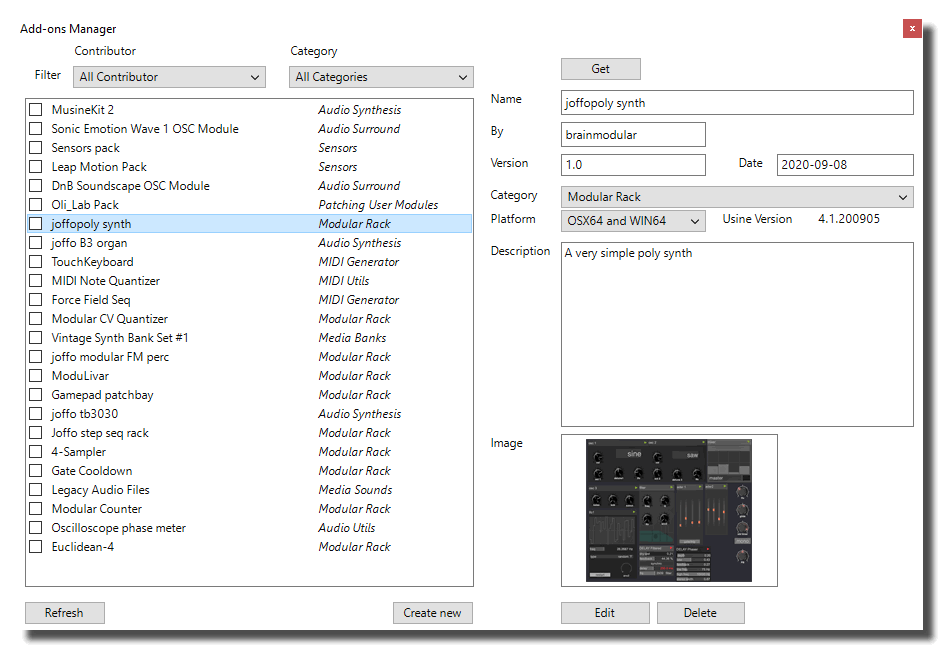
Allow the selection, creation and modification of add-ons made by the community.
The list shows the add-ons available on the Usine server (an internet connection is needed). The check box of an item is ON when the add-on is downloaded: tick or untick it to download or remove the add-on. Downloaded add-ons appear in the addons tab of the browser-panel.
- Filter: shows only the add-ons of a Contributor or of a Category.
- Get: downloads the selected add-on. Only shown when the add-on is compatible with your Usine version and platform.
- Remove: removes the selected add-on from your computer.
- Get All: downloads all the listed add-ons that are compatible.
- Remove All: removes all the downloaded add-ons, whatever the filter.
- Refresh: reloads the list from the server.
- Create new: creates a new add-on (name, description, category, platforms, image and file: any file or a .zip, 128 MB max), then Upload sends it to the server. You must be registered.
- Edit / Delete: only for your own add-ons. After an edit, Update sends the changes to the server.
See also
version 7.0.250921
Edit All Pages