Browser Panel
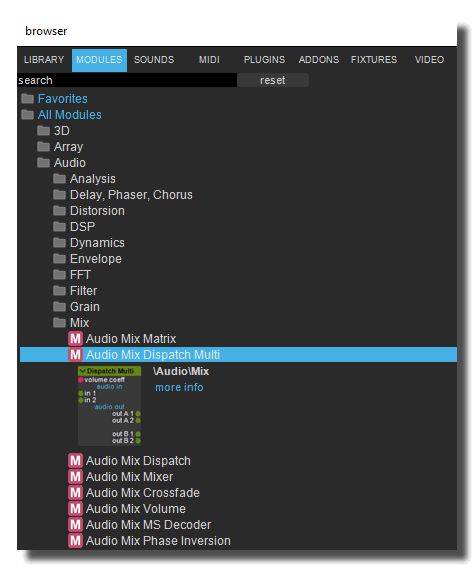
The Browser lets you to explore all the Usine's files, or personal ones.
 To open the browser panel click on the icon in the main-menu.
See setup-folders to set your personal folders.
search
Clicks to enter a word (or a part of a word) to search in the current browser tab.
reset
Use this button to reset the search engine.
Browser description
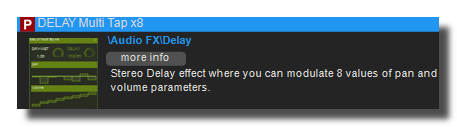 Quick description of the selected item.
Click the more info button to open the corresponding help page.
Tabs
library
Contains all the factory and personal patches or workspaces.
modules
Contains all the Usine factory modules to create your own patches.
sounds
Contains all the factory and personal sounds and banks files to use with the audio-sampler-midi.
midi
Contains all the MIDI files.
plug-ins
Contains all your VST and AU plug-ins,
See setup-plug-ins to configure plug-ins.
addons
Contains all the add-ons made by the community. add-ons manager opens the add-ons-manager
you must be connected to internet.
fixtures
Contains all your fixtures to work with the light engine.
video
Contains your favorites, the videos, images and shaders of Usine, your personal video folders and the recorded video files: the videos (.avi, .wmv, .mov, .mp4, .m4p, .mjpeg, .mpeg, .mpg, .m4v, .mkv, .flv, .vob, .qt, .hap, .webm, .gif, .h264, .m2ts, .ts, .m2t, .264), the images (.png, .jpg, .jpeg, .jpe, .bmp, .tiff, .tif, .ico, .gif, .webp) and the fragment shaders (.fs). The whole extension counts, in lower or upper case.
See also
version 7.0.250921
Edit All Pages