Grid Element Panel
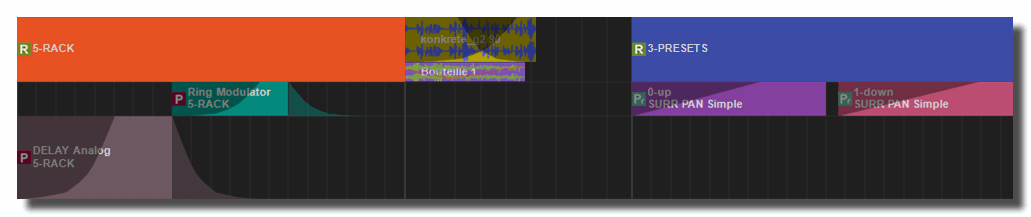 A Grid element is created by Drag & Drop of a rack, a patch, a preset, an audio file, a control, a fixture or some modules (bus, cluster...) on the Grid.
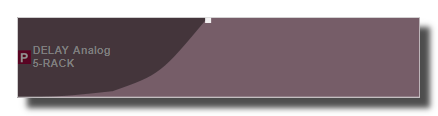 example of grid element for a patch
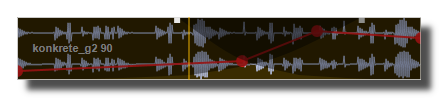 example of grid element for an audio wave
Commands
duplicate
Duplicates the selected object.
copy
Copies the selected object in the clipboard.
paste
Pastes the clipboard in the selected object.
cut
Deletes the selected object and copies it in the clipboard.
delete
Deletes the selected object.
undo
Undo the last operation.
redo
Redo the last operation.
split element
If the grid-element overlaps on 2 sections, it splits it into 2 separated elements.
stretch file
If the element is an audio file, opens the audio-stretch-panel in order to change its length or pitch.
adapt section duration
If the element is an audio file, sets the section duration to the audio file duration.
curves
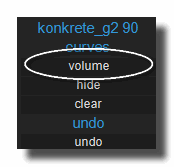
To Edit the volume curve on an audio wave file, click on volume on the commands menu.
Settings
volume gain
Audio gain applied to this element, from -80 to +24 dB.
show when active on usine grid
Determines if the rack or the patch is automatically maximized when it's active on the grid and minimized when inactive.
fade in duration
Fade in duration of the grid element used to fade audio, video, light. Depends on the format used.
fade in format
Time format of the grid element: seconds, minutes, milliseconds, cycles, bars, beats.
fade in shape
Shape of the fade curve.
- linear,
- natural, or logarithm, the most natural sounding for fades,
- exponential,
- quarter sine,
- cross fade, constant energy ideal for cross fades,
- square root,
- square.
- S-curve
fade out duration
Fade out duration of the grid element used to fade audio, video, light. Depends on the format used.
fade out format
Time format of the grid element: seconds, minutes, milliseconds, cycles, bars, beats.
fade out shape
Shape of the fade curve.
- linear,
- natural, or logarithm, the most natural sounding for fades,
- exponential,
- quarter sine,
- cross fade, constant energy ideal for cross fades,
- square root,
- square.
- S-curve
fade duration
Fade duration of the grid element, in seconds.
Only for presets and the elements with a single fade (bus, cluster and light channel modules, simple faders).
fade shape
Shape of the fade curve.
- linear,
- natural, or logarithm, the most natural sounding for fades,
- exponential,
- quarter sine,
- cross fade, constant energy ideal for cross fades,
- square root,
- square.
- S-curve
Only for presets and the elements with a single fade (bus, cluster and light channel modules, simple faders).
active
Determines if the grid-element is active on the grid or not.
When deactivated, the grid-element is ignored.
snap to timeline grid
Snap the grid element to the vertical ticks. Hold [SHIFT] while moving the element to ignore it.
locked
Sets the grid element locked, which means that no modification is possible on the element.
file location
Audio files only
Determines if the audio file is loaded in memory (more memory consumption but faster) or stays on the hard disk (less memory but slower).
See also
version 7.0.250921
Edit All Pages