Setup tab Network
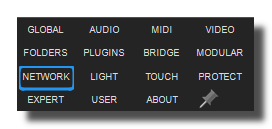
The OSC and Network options of Usine where you can activate OSC (Open Sound Control) and share on network capabilities.
network active
Turns the network and OSC engine ON (receive and send).
adapter
Network adapter used by the network and OSC engine: all adapters (default) or one of the adapters of the computer, shown as name (IP address). With an adapter chosen, broadcast messages are sent only to the subnet of this adapter, and incoming messages coming from another subnet are ignored.
The filter works by subnet: two adapters connected to the same subnet cannot be separated.
network speed
Speed of the network engine when data are sent. For a speed=20ms, Usine sends data and SHARED commands every 20 milliseconds.
opened ports
The local ports numbers used to receive OSC messages.
Can be a comma separated list of integers in the range [0..65535].
For example 2002 or 2002,2003,5623,1336
input buffer size
Size of the buffer for incoming network data. Increase it if you receive a large amount of data.
OSC out translator file
Name of the OSC messages translator file for outgoing messages. Can be used to convert automatically outgoing OSC messages. See osc-translator.
OSC in translator file
Name of the OSC messages translator file for incoming messages. Can be used to convert automatically incoming messages. See osc-translator.
show network errors
When ON, displays network errors in the trace-panel.
local IP addr & subnet
List of the network adapters of the computer, with for each one its name, its local IP address and its subnet mask. If you only see 127.0.0.1, the computer is not connected to a network. Read only.
The list is read when Usine starts and when a network setting changes. Click refresh IP to read it again.
refresh IP
Reads again the list of the network adapters, their IP addresses and their subnet masks, and the host name.
host name
Name of the computer as seen on the Network.
share active
Turns the Network share engine ON.
share adapter
Network adapter used by the share engine: all adapters (default) or one of the adapters of the computer, shown as name (IP address). With an adapter chosen, the detection and the shared commands are sent only to the subnet of this adapter, and the share messages coming from another subnet are ignored.
The filter works by subnet: two adapters connected to the same subnet cannot be separated.
share port
Port number used on the network for patch sharing. This port is determined automatically by Usine according to the number of Usine instances present in localhost.
share broadcast mask
Subnet mask used for network sharing for detection of other Usine on the network.
Can be used to restrict the shared network to a sub net.
send tempo and synchro info
Sends tempo and synchronization information to the Network. This computer will be considered as a master.
Only one connected computer should have this option to avoid conflicts
send grid sections info
Sends and synchronize information about sections to the Network. This computer will be considered as a master.
Only one connected computer should have this option to avoid conflicts
When ON, it automatically synchronizes grids of all connected computer to the master grid.
On slaves computers, new buses are created:
- current-section: number of the current section.
- sections-list: list of section's captions as a comma-text.
send playlist info
Sends playlist information to the Network. This computer will be considered as a master.
Only one connected computer should have this option to avoid conflicts
When ON, it automatically synchronizes playlist of all connected computer to the master grid.
send global arrays
Global option to disable or enable the sharing of global-arrays modules. When this option is ON, Usine can send all values over the network.
When OFF, sending is disabled even if the send to shared computers setting of global-arrays modules is activated.
compress network flows
When ON, compresses data sent on the network to reduce the bandwidth. Can be useful for slow network connections.
Increases the CPU load a bit.
use small MTU
When ON, uses small MTU (Maximum Transmission Unit) for network packets. Can be useful for some network configurations.
connected computers
Displays the list of all the connected computers on the Network running Usine.
Share active must be ON on all connected computers. All the connected computers must run Usine 7.1.261118 or later (SHARE protocol 3): a computer running an earlier version exchanges no global array, bus or MIDI with them, and the trace panel names it and asks to update Usine on it.
internet
You need a connection to get help pages inside Usine or to register with your activation key. You can disable the internet connection in expert-tab disable internet connection.
connected to internet
Read only property which indicates if Usine is connected to internet.
The test for connection is made at startup, so if its status has changed you must use the command test internet connection bellow.
IP address internet
Address of the computer on internet.
Only available when connected to internet is ON.
test internet connection
Tests manually internet availability.
remote control
Allows the remote control of Usine from a web page. See remote-control.
enable remote control
Turns ON/OFF the remote control capabilities.
remote ID
ID used for remote control identification. Must be a string with letters and digits in the set [A..Z,a..z,0..9].
remote server
Address of the remote access server, by default http://remote.brainmodular.com/ it is the official brainmodular remote server, do not change it unless you have good reasons to do so.
open remote client
Opens the user's default web browser and navigates to https://www.brainmodular.com/remote/ to see the remote access to Usine.
remote port
Port used by the web socket to communicate with Usine. By default 80, do not change it unless you have good reasons to do so.
remote control connected
Indicates if Usine is currently connected to a remote web page. Inside a patch you can use this field with the usine-setup-settings module.
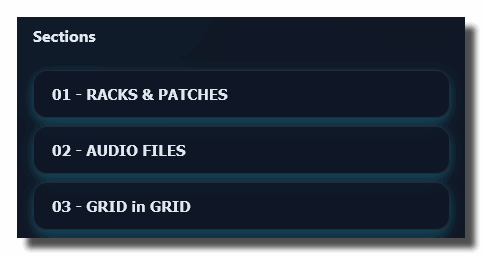
show sections list
When ON, displays the list of sections on the remote web page.
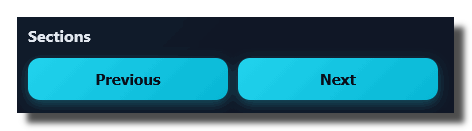
show previous next buttons
When ON, displays the previous and next buttons on the remote web page.
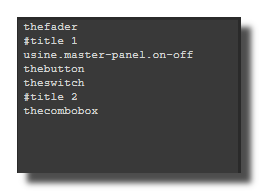
custom controls addr
User remote addresses for custom remote controls. See remote-controls.
See also
- Quick Configuration
- Additional and Override Setup
- Setup
- Setup tab User
- Setup tab About
- Setup tab Modular
- Setup tab Expert
- Setup tab Folders
- Setup tab MIDI
- Setup tab Plugins
- Setup tab Debug
- Setup tab Touch-screen
- Setup tab AI
- Setup tab Global
- Setup tab Light
- Setup tab Kiosk
- Setup tab Laser
- Setup tab Video
- Setup tab Network
- Setup tab Audio
- Usine Setup Settings
version 7.0.250921
Edit All Pages