Fixtures Group Panel
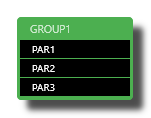
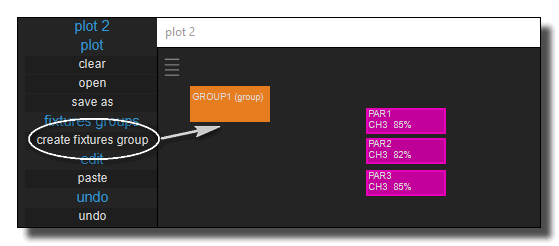
Group of several fixtures which are aggregated together to appear as a single fixture (compact mode ON) or with all parameters expanded (compact mode OFF) To create a group select the plot-panel and on the menu click on create fixtures group.
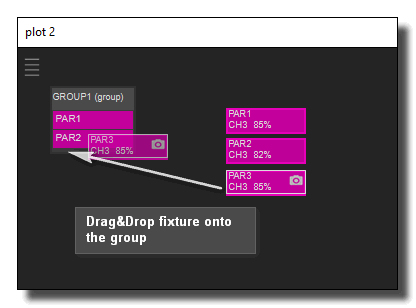
Then you can add any fixtures in the group by a simple drag&drop.
All members of a group should be of the same type. For example it's not advised to create a group with RGB-led and RGBW-led together.
Commands
The group has the commands of a fixture: copy fixture, paste fixture, cut fixture, duplicate fixture, duplicate fixture nth and delete fixture.
A fixture of the group has the command delete item [DEL], which removes it from the group.
Settings
caption
Displayed caption of the object. Click to enter a new name.
compact
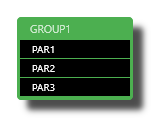
Determines if the group is seen as a single entity with common parameters or with all parameters expanded.
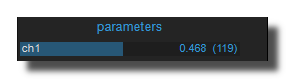
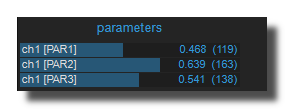
In the example above with 4 simple fixtures group:
| compact | non-compact |
|---|---|
 |
 |
| all parameters are grouped together and the group appears with a single parameter |
all parameters of the 3 fixtures are displayed |
parameters
List of available parameters.
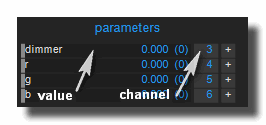
In Usine, all fixture's parameters are in the range [0..1], to be compatible with most of built-in modules.
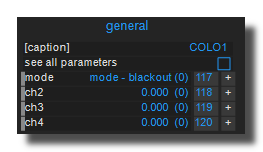
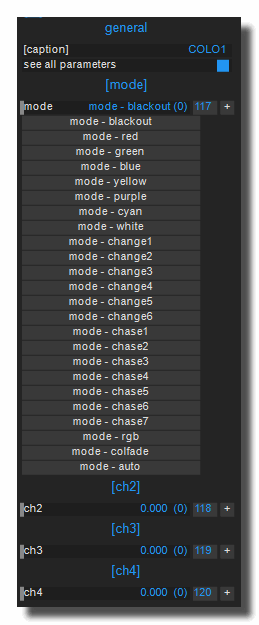
see all parameters
Determines if the range values of dmx channels are visible and if each possible value is available as an independent parameter.
| item's range value hidden | item's range value visible |
|---|---|
 |
 |
reset parameters
Reset all parameters to their default values.
See also
- Master Light Panel
- Fixtures Group Panel
- Plot Panel
- Fixture Panel
- Light RGB Chaser
- Light Random RGB LED Color
- Light Envelop Chaser
- Light Random Peak Chaser
- Light MIDI to Dimmer (SUB-PATCH)
- Setup tab Light
- Tutorial : Pixel Mapping
- Tutorial : The Light Engine
- Light
- Light Direct ArtNet sACN Array
- Light Send Channel Name
- Light ArtNet sACN Input
- Light Direct DMX Array
- Light Plot Channels List
- Light Color Array to ArtNet
- Light Fixture
- Light Clear Channel
- Light Direct DMX Channel
- Video to Color Array
- Video to Data Array
- Video Pixel Mapper
- Color Array to Video
- Array Chaser
- Usine Master Light Settings
- Bus Set DMX
- Bus Get DMX
version 7.0.250921
Edit All Pages