Setup tab Expert
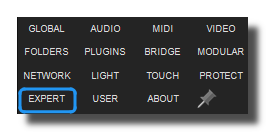
Various settings and commands for expert users.
startup options
Various option applied when Usine starts.
full screen
Opens the main interface in full screen when Usine starts.
window width at startup
Width of the Usine window at startup, in pixels (default 1244).
window height at startup
Height of the Usine window at startup, in pixels (default 700).
auto play
Turns the main process engine ON automatically.
auto play Grid
Starts the grid-panel automatically.
Only if the grid is not empty.
show grid
Opens the grid-panel automatically.
Only if the grid is not empty.
show interface builder
Opens the interface builder automatically.
show toolbox
Opens the toolbox automatically.
on shutdown
Various option applied when Usine quits.
save setup on quit
Determines if the configuration files is automatically saved when Usine quits. Disable for special installation to be sure that the original setup will never be lost if the user has changed it.
clean usine on quit
Determines if Usine is cleaned on quit. If disabled Usine will quit much faster but, with some workspaces, will not be destroyed properly by the Operating System.
save large inlets
don't save large in/outlets
When ON, the values of the inlets and outlets holding more than large in/outlets limit size elements (arrays, texts...) are not saved in the patches, which keeps the files small. Default OFF.
large in/outlets limit size
Number of elements above which an inlet or an outlet is not saved when don't save large in/outlets is ON. From 128, default 1024.
layout & design
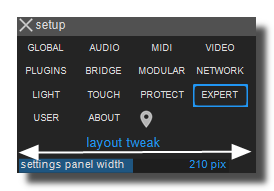
settings panel width
Width of the items in the settings-panel.
disable draw selection square
Do not display the white square around selected objects.
extended accents char set
Extends the characters set to resolve some compatibility of file names with special characters.
Mac OSX only
disable red value when size=0
Disable the display of values in red when the size is flux is zero.
bezier curves in patches
Choose between smooth Bezier or straight curves in the patch-editor-panel.
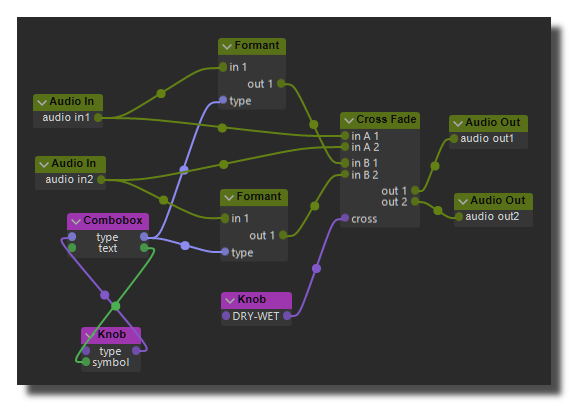 Bezier curves enabled
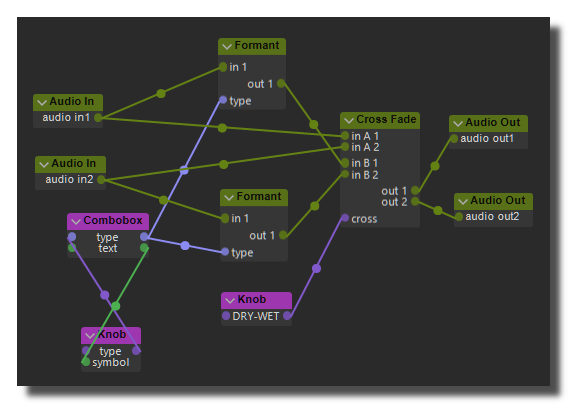 Bezier curves disabled
disable flow compatibility warning
Disables the warning "dotted line" when connecting incompatible flow types in the patch-editor-panel.
smooth cpu values
Enable or disable the smoothing of CPU consumption values in the patch-editor-panel.
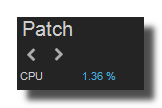 CPU consumption
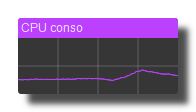 smooth enabled
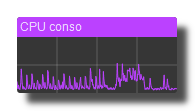 smooth disabled
disable remote hilite
The controls are surrounded by a clear edge when activated by a remote control (MIDI or OSC learn for example), the network or an automation. When this option is active, edge drawing is disabled and may reduce graphics engine load in case of heavy remote control flow.
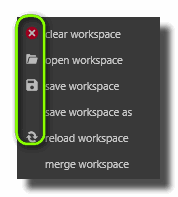
disable icons in contextual menu
Disables the display of context menu icons.
disable mouse over effect
Disables the color highlight of a control when the mouse hovers over it. When ON, the toolbar of a panel also stays displayed after the mouse leaves the panel.
hide remote learn indicator
Does not display the assignment indicator.
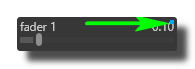
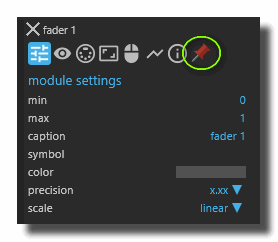
disable pin in separate window
Disables displaying settings in a separate window when pinned.
internet
disable internet connection
Disables the internet connection of Usine.
disable upgrade message
Disables the message "this patch/workspace has been created with a newer version of Usine, please upgrade".
Usine will not verify that the workspace/patch you want to load is compatible with the current version.
Be aware that, generally, newer workspaces/patches are not compatible with an old version of Usine and can't be loaded properly.
hints & tooltips
disable hints
Disables display of hints strings.
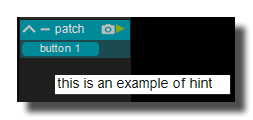
disable hints on modules
Disables display of hints strings on modules in the patching panel.
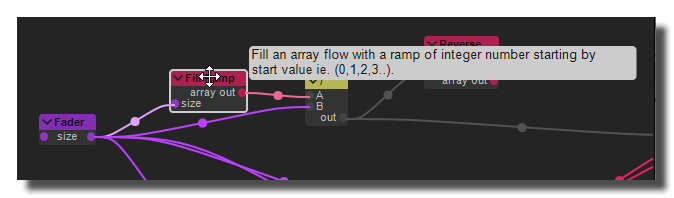
hints delay
Determines the time delay for displaying hints when the mouse stops moving.
hints font name
Font used for hints strings.
disable tips display
Disables display of tips strings.
audio files
adapt audio files pitch to sample rate
Ensure that the pitch of audio files is correct whatever the sound card sampling rate.
disable locate audio files
Disables the locator-panel when media files are missing in the workspaces, racks and patches. Missing files will be ignored.

max nb opened files
Maximum number of opened files in Usine. On OSX a process can open only 256 files at the same time (ie: audio files with the stay-on-disk option or video files). To ensure Usine's stability, you must keep the limit under the maximum allowed. more info
keyboard and mouse
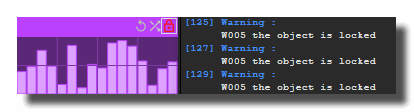
disable warning on locked objects
Disables the trace warning when you try to modify a locked object (ie. step-panel).
disable click to use mouse wheel
Disables having to click on an object to zoom with the mouse wheel.
disable hidden strings
Disables all the hidden-string.
disable all key learn
Disables all Usine's key learns. Either completely or only in kiosk mode.
disable alt click to rename
Disables the ability to rename objects with the [alt+click] combination.
disable mouse wheel zoom
Disables the ability to zoom with the mouse wheel.
other
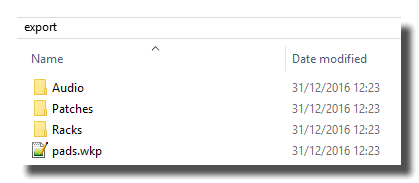
export separated rack/patch
If this option is activated, when you export a workspace, Usine will create folder with all patches and racks exported as individual files.
save patch json graph
When ON, saves a .json file with the patch graph structure each time you save a patch. Useful for third party tools that would need to analyze patch structure without opening Usine.
disable file-lister modules
Disables all file-lister modules.
disable show trace on error
Disables the appearance of the trace-panel when an error occurs. Either completely or only in kiosk mode.
convolver panel
Opens the convolver panel.
scripts
The time limits of the scripts: a procedure of a script that runs longer than its limit is stopped at its next loop turn, call or exit, one error line is traced, and that procedure stays off until the script is compiled again. A function of Usine that blocks, such as Sleep or a dialog, is not interrupted, and the time spent in a dialog opened by the script is not counted. 0 turns a limit off. These limits are not the watchdog, which keeps counting each error.
script Init time limit
Longest run of the Init procedure of a script, in ms, from 0 (no limit) to 600000, default 10000. An Init stopped by this limit is an error of the script: the parameters it created before the stop exist, and the other procedures run.
script main thread time limit
Longest run, in ms, of the other procedures of a script that run on the main thread: the callbacks in cbMainThread (the default), cbAsync or cbGraphic mode, ProcessIDLE, OnReset, Destroy, and Process when the engine is stopped. From 0 (no limit) to 600000, default 5000.
script other threads time limit
Longest run, in ms, of the procedures of a script that run on the other threads: Process, the callbacks in cbImmediate mode and the chunk notifications. From 0 (no limit) to 600000, default 1000. ProcessThread has no limit.
various
god mode
Adds various options and tweaking commands like save screen shot, gives an access to additional settings and displays more internal error messages. It also activates the debug mode of Usine. Various intern error messages will be displayed but Usine will be slower.
extended objects address
Extend the objects-address to all the settings of the object (not only usual parameters).
on large workspaces enable this option can slow down Usine, especially in scripts.
utilities
benchmark mono-core
Launch a speed calculation test, mono-core CPU oriented, of your computer.
benchmark multi-core
Launch a speed calculation test, multi-core CPU oriented, of your computer.
benchmark block calculation
Launch a block calculation speed test of your computer.
cpu stress
Launch a CPU stress procedure (try to use 100% of CPU).
test memory capacity
Try to allocate as much as possible memory to verify the real available memory.
There is a Possibility that it crashes Usine...
See also
- Quick Configuration
- Additional and Override Setup
- Setup
- Setup tab User
- Setup tab About
- Setup tab Modular
- Setup tab Expert
- Setup tab Folders
- Setup tab MIDI
- Setup tab Plugins
- Setup tab Debug
- Setup tab Touch-screen
- Setup tab AI
- Setup tab Global
- Setup tab Light
- Setup tab Kiosk
- Setup tab Laser
- Setup tab Video
- Setup tab Network
- Setup tab Audio
- Usine Setup Settings
version 7.0.250921
Edit All Pages