Setup tab Folders
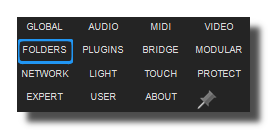
Sets favorites folders for your personal library, Sounds, videos, fixtures and MIDI files and for the recording, etc. Personal folders will appear in the browser-panel.
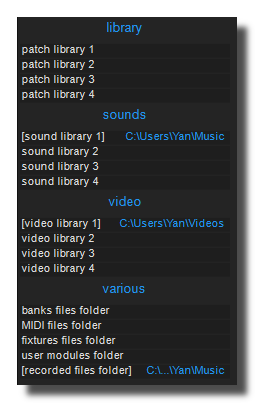
patch library
Specifies patches, racks, devices and workspaces library browser's path.
sound library
Specifies sounds library browser's path.
By default it's the /Music/ folder of your system.
video library
Specifies your Video files browser's path.
recorded audio files folder
Specifies where sounds recorded in Usine are saved by default.
recorded video files folder
Specifies where videos recorded in Usine are saved by default.
MIDI files folder
Specifies where your personal MIDI files are stored.
banks files folder
Specifies where your personal sampler bank files are stored.
fixtures files folder
Specifies where your personal fixtures files are stored.
user modules folder
Specifies where your personal user modules files are stored.
use local /temp folder
When ON, Usine stores its temporary and cache files in a local /temp folder inside the application directory (<Usine install>/Config/Temp/) instead of the system's default temp directory (e.g. C:\Users\<name>\AppData\Local\Temp\ on Windows). The local temp folder is also automatically cleared on startup.
This is useful for portable installations (e.g. running Usine from a USB drive) or to keep all Usine-related files self-contained within the application folder.
clear images cache
Clears the images cache used by Usine to speed up image loading.
clear audio peak cache
Clears the audio peak cache used by Usine to speed up waveform drawing.
See also
- Quick Configuration
- Additional and Override Setup
- Setup
- Setup tab User
- Setup tab About
- Setup tab Modular
- Setup tab Expert
- Setup tab Folders
- Setup tab MIDI
- Setup tab Plugins
- Setup tab Touch-screen
- Setup tab Global
- Setup tab Light
- Setup tab Kiosk
- Setup tab Laser
- Setup tab Video
- Setup tab Network
- Setup tab Audio
- Usine Setup Settings
version 7.0.250921
Edit All Pages