Tutorial : Use Modular
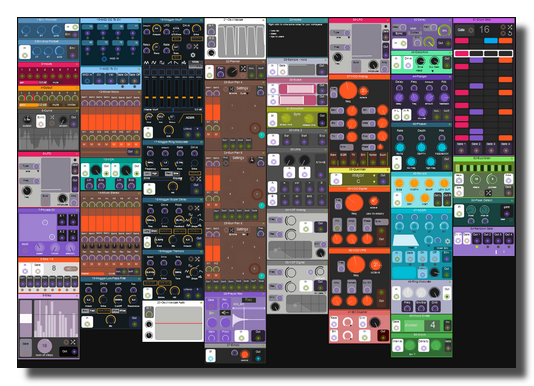
Usine provides a new way of connecting patches together with a modular layer. The library contains more than 60 ready to play patches.
Use Modular
A modular rack contains inlets and outlets of different types and colors.
| audio | cv | frequency | gate | midi | video |
|---|---|---|---|---|---|
 |
 |
 |
 |
 |
 |
| audio flow, array of samples in the range [-1..1] | data in the range [0..1] or [-1..1] | data in the range [0..1] scaled 0.1 per octave | switch or trigger 0 or 1 | midi flow | video flow |
change the modulation range
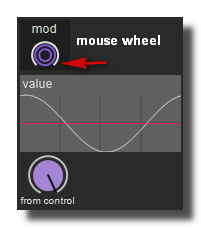
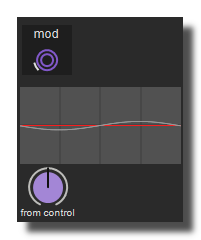
On CV and frequency inlets you can change the modulation range with the mouse wheel.
| full modulation range | small modulation range |
|---|---|
 |
 |
multiple connections.
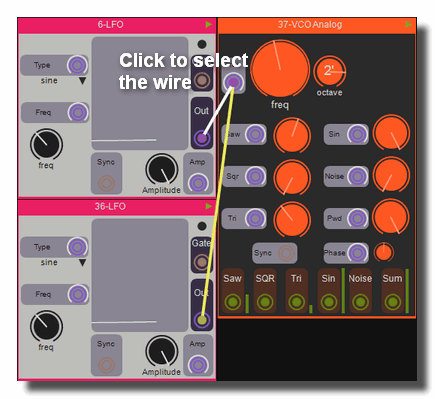
You can can connect several wires to an inlet or from an outlet with the [shift] key.
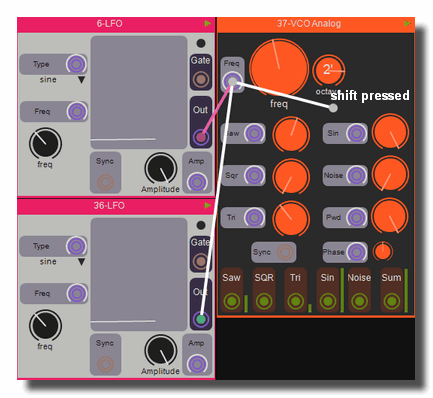
If you want to disconnect or move a wire in a multiple cluster, click on the inlet/outlet until the wire is selected (the wire appears in white)
Create a modular patch or rack
This section describes how to create a modular patch or rack. You simply have to put modular-in or modular-out modules in your patches.
type
Type of modular input or output (the in items for Modular [in], the out items for Modular [out]).
- in audio, out audio: audio.
- in data CV, out data CV: cv.
- in frequency: cv frequency (Modular [in] only).
- in data Gate, out data Gate: gate (switch or trigger).
- in midi, out midi: midi.
- in video, out video: video.
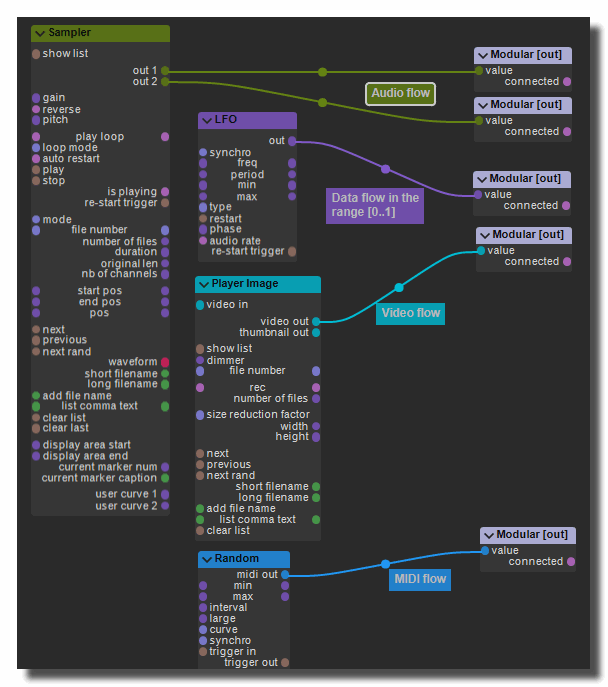 modular outlet example
Modular inlets CV and Frequency
For CV or Frequency inlet you have to set the modulation mode, the min and max real values of the inlet. Also a fader can be connected to the from control input to use the patch/rack when the inlet is not connected or to set base modulation value.
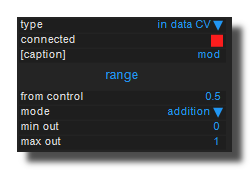
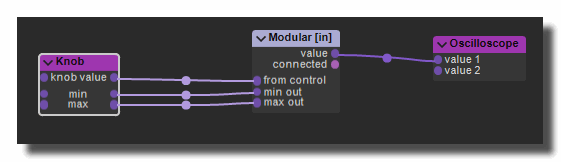 typical modular CV inlet example
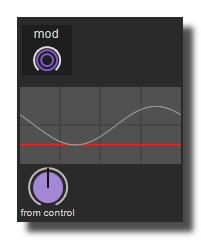
modulate addition
The output value is modulation + from control.
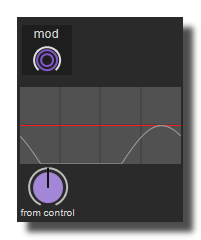
modulate substraction
The output value is modulation - from control.
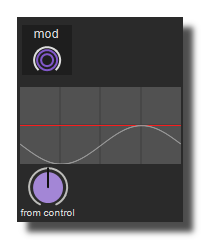
modulate multiplication
The output value is modulation * from control.
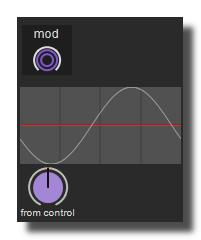
modulate bypass
When connected, the from control value is totally bypassed and the output is only the modulation between [min..max]
See also
Usine Tutorial
- Tutorial : Understand Usine
- Tutorial : Basic Commands you have to know
- Tutorial : Patching
- Tutorial : MIDI & Key Assignations
- Tutorial : Audio Plug-ins
- Tutorial : The Grid
- Tutorial : The Light Engine
- Tutorial : Surround
- Tutorial : The Video Engine
- Tutorial : Customize your interface
- Tutorial : Use Modular
- Tutorial : OSC (Open-Sound-Control)
- Tutorial : Record audio
- Tutorial : Interface Builder (IB)
- Tutorial : Physics Engine
- Tutorial : Arduino
- Tutorial : Use Clusters
- Tutorial : Use the Mixer Panel
- Tutorial : Use the Playlist
- Tutorial : Use VCA's
- Tutorial : Pixel Mapping
- Tutorial : Create Stand-Alone Application
- Tutorial : Protect a Patch with a password
- Tutorial : Create Help File for a Patch
- Tutorial : Remote control of Usine from Internet
- Tutorial : Global Arrays
- Tutorial : Use Procedures
- Tutorial : Laser Engine
- Tutorial : How to use Chunks
- Tutorial : How to use the MCP server in Usine
version 7.0.250921
Edit All Pages