Setup tab Touch-screen
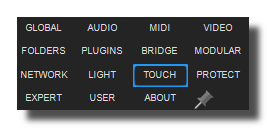
Usine's touch screens setup tab.
Windows only.
enable touch screen
Enable/Disable the touch screen feature.
activate double click
When ON, Usine considers two consecutive touch-down as a double click.
disable right click
When ON, Usine disables the right click feature (touch and hold).
disable touch protection for dbl click
When ON, Usine disables the touch protection for double click (prevents false double clicks).
trace gestures names
Traces gesture's names (the finger movement recognition).
See multi-touch for more infos.
use virtual keyboard
Displays the virtual keyboard when text entry is needed. Useful on tablets.
virtual keyboard zoom scale
Determines the zoom applied to the virtual keyboard.
See also
- Quick Configuration
- Additional and Override Setup
- Setup
- Setup tab User
- Setup tab About
- Setup tab Modular
- Setup tab Expert
- Setup tab Folders
- Setup tab MIDI
- Setup tab Plugins
- Setup tab Touch-screen
- Setup tab Global
- Setup tab Light
- Setup tab Kiosk
- Setup tab Laser
- Setup tab Video
- Setup tab Network
- Setup tab Audio
- Usine Setup Settings
version 7.0.250921
Edit All Pages