Templates Panel
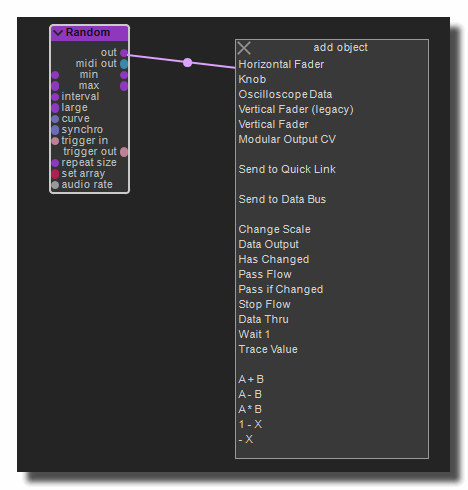
The templates panel opens automatically when you create a wire from an inlet or an outlet and release it away from any inlet or outlet. It shows a menu of modules to add or to connect to the source.
It also opens with a right-click on a wire (insert object) or on an empty zone of a patch (add object); it then starts with a search field that lists the modules, user modules, scripts, sub-patches and procedures (factory modules, personal modules and add-ons) whose name contains the typed text.
It also opens when you drop a file on an empty zone of a patch. The proposed items depend on the context: flow type of the inlet or outlet, extension of the dropped file, wire or empty zone. Each item is a template of the templates-engine, read from the templates folders of Usine, your user templates and the add-ons.
See also
version 7.0.250921
Edit All Pages