RECORD Audio Joggle
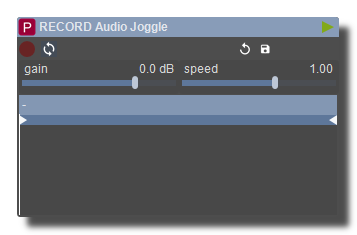
On the fly recorder with joggle playback: records the audio input with an audio-sampler-recorder, then plays it in a loop at a variable speed, forward or backward, like a joggle or a scratch. One speed fader sets the speed, the pitch and the direction.
Audio in 1-2. Audio out 1-2. A voice (femal piece) is already loaded.
Record a sentence, then move speed slowly from 1 to -1.
In the library: 1-Audio > Audio Sampling.
Settings
rec
 Starts and stops the recording of the input.
on
 Plays the recorded sound in a loop.
clear rec
 Clears the recorded sound.
save name
 Saves the recorded sound on the hard disk and asks for a file name. The saved file is added to the
file list of the sampler.
gain
Output volume, from -80 to 12 dB.
speed
Playback speed, from -4 to 4. The pitch changes with the speed (12 semitones per octave):
- 1: normal speed.
- 2: twice as fast, one octave up.
- 0: stopped.
- negative values: the sound plays backward.
sampler
The waveform of the recorded sound, with its name above it.
See also
version 7.0.250921
Edit All Pages