FILTER Parametric EQ
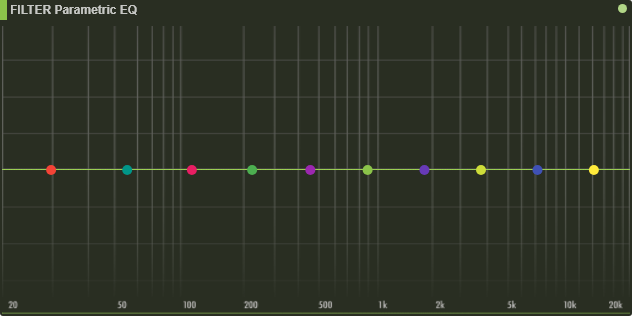
Stereo equalizer with 10 bands: boost or cut each region of the spectrum, from bass to treble, by dragging the colored dots of the curve. A spectrum analyzer shows the spectrum of the output behind the curve.
The audio inputs 1-2 go into an audio-filter-equalizer, to the audio outputs 1-2. A sub-patch computes the spectrum of the output with the fft-forward module and draws it in the control panel.
Play music, lower the dot near 100 Hz and raise the one near 3 kHz.
In the library: 1-Audio > Audio FX > Filter.
Settings
equalizer
The curve of the 10 bands, from 20 Hz to 20 kHz. Each colored dot is a band:
- drag a dot: left-right sets the frequency, up-down sets the gain
- shift + drag: sets the gain only
- mouse wheel on a dot: sets the Q (narrow or wide band)
- double-click a dot: turns the band ON or OFF
spectrum
The spectrum of the output, drawn behind the curve when spectrum analyzer is ON.
Settings window
advanced settings
 Use this icon in the patch header to open these advanced settings. Like the other icons of the header, it shows when the mouse is over the control panel of the patch (the green dot, always shown, turns the patch ON or OFF).
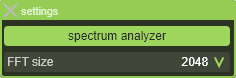
spectrum analyzer
Turns the spectrum analyzer ON or OFF.
FFT size
Detail of the spectrum, in samples: the bigger, the more detailed.
- 128
- 256
- 512
- 1024
- 2048
- 4096
- 8192
See also
version 7.0.250921
Edit All Pages