PAN Panner
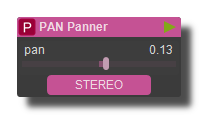
Places a mono or a stereo sound between the left and the right speaker.
The audio inputs 1-2 go into an audio-pan-stereo-panner module, then to the audio outputs 1-2. With STEREO OFF, only the audio input 1 is used (mono source).
Play a mono sound, turn STEREO OFF and move pan.
In the library: 1-Audio > Audio FX > Panoramic.
Settings
pan
Position of the sound, from -1 (left) to 1 (right); 0 is the center.
STEREO
ON: the stereo input is balanced between left and right. OFF: only the audio input 1 is used and panned (mono source).
See also
version 7.0.250921
Edit All Pages