Top Header Panel

The Top Header Panel is the place, on top of the Usine interface, where the master-panels are located.
You can add some controls on this header if you always want to see them. To add a control to the Top Header, use the right click on it to open its settings-panel and choose the option display location = top header in the design tab.
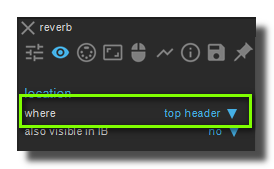
 Example of a fader in the Top Header Panel
See also
version 7.0.250921
Edit All Pages