Mixer Panel
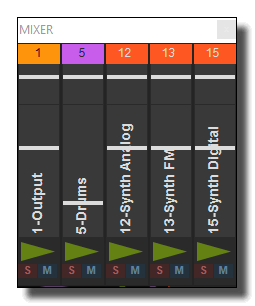
Build your custom mixer by simply drag & drop racks on this panel. See use-mixer and use-vca tutorials.
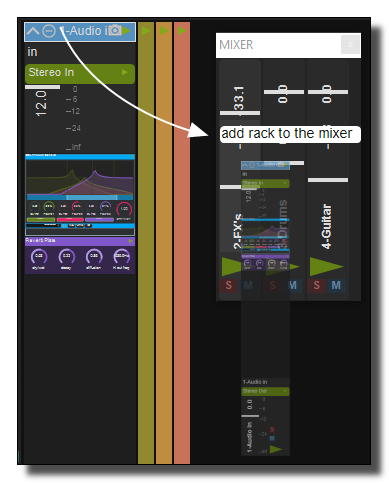 Drag & drop a Rack to create a new slot. Drop a rack input or output gain, or a fixture, to create a VCA slot.
To delete a slot, Drag & Drop it onto the trash-panel. For a VCA slot, the VCA is also removed from all the controls assigned to it.
in
Audio input level of the rack.
out
Audio output level of the rack.
on
Turns ON/OFF the current rack.
s
Solos the current rack.
m
Mutes the current rack.
Commands
clear
Clears the content of the selected object to make it empty.
delete
Deletes the selected object.
Settings
show only active racks
When ON, the slots of the racks that are OFF are hidden.
See also
version 7.0.250921
Edit All Pages