Preset Panel
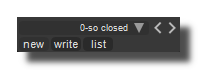
The Preset Manager is used to store state of the associated object like patch, workspace, rack, plot, etc.
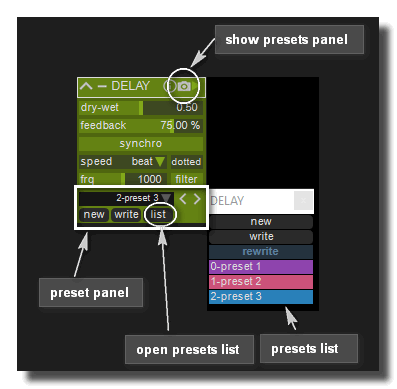
new
Stores a new preset.
Use the [alt+click] to rename presets.
write
Rewrites the current state to the selected preset.
list
Displays the list of presets as presets buttons, in a separated window.
To change preset order simply drag current preset to change its place in the list.
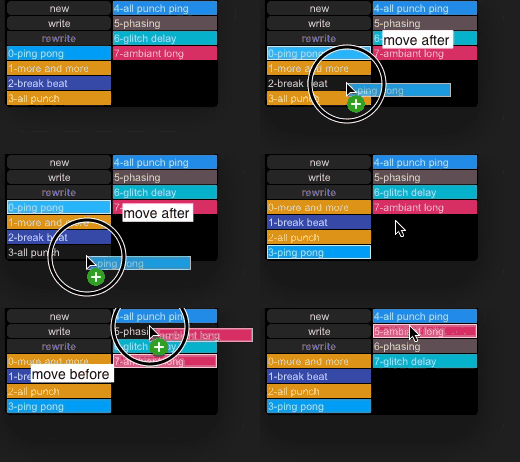
Note you can drag a preset button directly on the grid-panel to recall the preset in the grid.
rewrite
Activate the rewrite mode to overwrite a preset.
presets
List of available preset as combobox.
Use the [alt+click] to rename presets.
next preset
 Recall next preset in the list.
previous preset
 Recall previous preset in the list.
Settings
fade duration
Global fade duration of the preset.
preset scope
Defines the scope of the preset.
- controls + modular wires
- controls only
- modular wires only
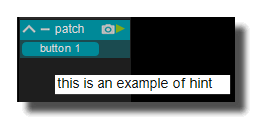
hint
Hint text displayed on mouse over.
silent edit
Hides the message displayed in the information zone of the main window when a preset is recalled, stored or deleted.
show cmd
Shows or hides the new, write and rewrite commands (design tab).
Commands
load preset from file
Loads a preset file into the current preset, which takes the name of the file, and recalls it. A new preset is created when the list is empty.
save preset to file
Writes the current state to the current preset, saves it to a file and gives it the name of the file.
clear all presets
Clears all the stored presets.
clear all remotes
Clears all the remote assignations (MIDI, key learns) of the preset buttons.
See also
version 7.0.250921
Edit All Pages