patch
name
Name or caption of the object as it appears in its visible interface.
filename
Full path of the file the patch was loaded from or last saved to, empty if the patch has never been saved. It's a read only setting: it is not saved with the patch and can only be exposed as an outlet, not as an inlet.
info
Manual page about of this object.
show manual
Opens the default web browser the selected object and displays an html page.
saved in rack preset
Determines if parameters of this object are saved in the preset-panel of the rack.
fade preset
Parameters of the this object can cross faded when you recall a preset in the grid.
Optional setting, does not appear on all objects.
can be randomized
When ON, this object will be randomized when using the randomize command.
can be reset
When ON, this object will be reset to its default value when using the reset command of its patch.
show when active on usine grid
Determines if the rack or the patch is automatically maximized when it's active on the grid and minimized when inactive.
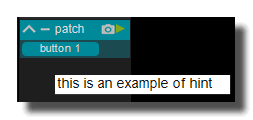
hint
Hint text displayed on mouse over.
saved in preset
Determines if parameters of this object are saved in the preset-panel.
fade preset
Parameters of the this object can cross faded when you recall a preset in the grid.
Optional setting, does not appear on all objects.
hint
Hint text displayed on mouse over.
undo enabled
Enables or disables the undo/redo history of the patch. Default ON. When OFF, Usine no longer stores an undo snapshot of the patch after each editing operation, and the undo and redo commands are refused with a warning message. This can speed up the patching interface on very heavy patches and avoids the saving after each operation. The setting is only available on normal patches (not on sub-patches or device patches) and the value of the main patch applies to all its sub-patches.
It's not recommended to disable it.
Toolbar
toolbar-enabled
 Enables the panel.
toolbar-minimize
 Minimizes or maximizes the panel.
toolbar-preset
 Opens/closes the preset panel.
toolbar-reduce
 Reduce the size of the current object.
devices specific options
receive MIDI clock
Only available on MIDI input device patches. When ON, the MIDI real-time messages received on this device drive the master synchro panel of Usine: timing clock messages set the tempo (measured every 48 clocks, ie. every 2 beats), a start message restarts the synchro from the beginning and switches it ON, a continue message switches it ON, a stop message switches it OFF and song position pointer messages re-synchronize the beat position inside the bar. When OFF, these messages are ignored.
send MIDI clock
Only available on MIDI output device patches. When ON and the device is active, Usine sends MIDI timing clock messages to this output device at the tempo of the master synchro panel (24 clocks per beat), plus a start message when the synchro is switched ON and a stop message when it is switched OFF, so that external devices can follow Usine's tempo. When OFF, no clock message is sent.
motorized device
Only available on MIDI output device patches. When ON, Usine considers that the hardware attached to this MIDI output device is motorized (motor faders, LED rings, etc.): each time a control that is MIDI-learned on the input device of the same name changes in Usine, its new value is sent back to this output device so the hardware stays in sync. When OFF, no feedback is sent to this device, unless the global option MIDI feedback to all devices of the setup panel is ON.
version 7.0.250921
Edit All Pages