array editor common
nb lines
Number of lines of the array editor or the matrix.
nb columns
Number of columns of the array editor or the matrix.
precision
Precision of the displayed numeric value, from integer up to five digits precision.
For example 1 1.1 1.11 1.111 1.1111 1.11111
caption
Displayed caption of the object. Click to enter a new name.
reset value
Reset value applies when the reset button is pressed or when the user does a [ctrl+click].
for the matrix, the reset value must be in the range [0..1].
reset
Resets all the values of the selected object.
It resets to the reset value value for controls and to their default values for panels.
randomize
Randomizes the array, fill the array with random value in the range [0..1].
randomize coverage
Amount of cells which are randomized by the randomize operation. For 0, no cells are randomized, for 1 all cells are randomized.
cells captions
Captions of the cells as a comma-text.
cells color
Foreground colors of the cells.
cells background color
Background colors of the cells.
cells mode
Mode used to fill the cells color input.
- disabled: the color input has no effect and the settings colors of the panel are used instead.
- line: colors are filled by lines.
- columns: colors are filled by columns.
- cells: colors are filled cell by cell from top left cell to bottom right cell
line headers captions
Captions of the line headers as a comma-text.
line headers color
Color or color array of the line headers.
line headers mode
Mode used to fill the line headers color input.
- disabled: the color input has no effect and the settings colors of the panel are used instead.
- enabled: line headers colors are filled with the input.
column headers captions
Captions of the column headers as a comma-text.
column headers color
Color or color array of the column headers.
column headers mode
Mode used to fill the column headers color input.
- disabled: the color input has no effect and the settings colors of the panel are used instead.
- enabled: line headers colors are filled with the input.
line headers captions
Captions of the cells as a comma-text.
Visible only on the matrix version.
line headers captions
Captions of the lines headers as a comma-text.
columns headers
Captions of the columns headers as a comma-text.
cursor position
Position of the cursor. Use -1 to set the cursor invisible.
cursor out
Cells output at the cursor position.
cursor mode
Determines the orientation of the cursor, by line, or columns.
save to file
Prompt for a file name and save the values to a text file ordered line by line.
load from file
Prompt for a file name and load the values to a text file ordered line by line.
file loaded
Sends a 1 value when the file is loaded. Must be connected to a flow-from-0-to-1.
save load headers
Determines if the columns and lines headers are also saved/loaded during the save to file and load from file operations.
file extension
Extension of the file name used for the load and save operations.
scroller pos V
Gets or Sets the vertical scroller position.
scroller pos H
Gets or Sets the horizontal scroller position.
clicked column
Latest clicked column number starting at the index 0 (line headers). Sends -1 if nothing has been clicked.
clicked line
Latest clicked line number starting at the index 0 (column headers). Sends -1 if nothing has been clicked.
clicked index
Index of the latest clicked cell starting at the index 0. The index is the position in the output array. Sends -1 if nothing has been clicked.
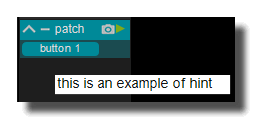
hint
Hint text displayed on mouse over.
version 6.0.241021
Edit All Pages